Create 3D photos from 2D images using built-in tools. Apply photo masks to isolate subjects. Combine multiple photos to form composite images. Share edited photos directly. Adjust lighting and colors for enhanced visuals.
by Guangzhou Beauty Information Technology Co.,Ltd.★ 4.9159 ratingsPhoto & VideoFreeData updated 2026-09-09
Turn photos into cartoons with filters and effects. Apply over 30 styles and 100 background effects. Edit selfies or select images from the gallery. Export and share the cartoonized photos.
Automatically detects and hides private text in images. Users can edit photos to remove sensitive information like phone numbers and addresses. Adjust redaction areas and export edited images for sharing.
Turn photos into cartoons with AI-powered filters. Apply effects, add toon backgrounds, and combine drip effects. Edit layouts and create anime-style avatars. Share edited images on social media platforms like Instagram, Facebook, and TikTok.
AI-powered photo curation selects and crops images from your album. Users can customize timelines to explore photos. Intelligent cropping allows sharing as live wallpaper, collage, composite, or individual images.
Convert photos into cartoons, anime, or artistic styles using AI technology. Apply filters to alter appearance and style. Upload selfies or images for transformation. Share edited results directly.
Upload a selfie and generate multiple realistic using AI. Apply background changes, adjust lighting, and modify poses. Export and share the edited images directly.
Edit photos with unblur, object removal, and background cleanup tools. Apply AI filters, artistic styles, and motion effects. Create photo animations with one tap. Export and share edited images directly.
Edit photos with transformation tools, including abs, chest, hairstyles, and beards. Adjust eye lens colors and apply light effects. Use advanced photo editing features to enhance appearance and create realistic professional looks.
Create custom bordered wallpapers from your photos
Create custom bordered wallpapers by importing photos from your library or selecting included images. Adjust border color, style, and opacity. Export wallpapers to your photo library and apply them to home or lock screens.
Edit photos with cartoon effects, AI-generated images, and retro styles. Add filters, adjust colors, and apply comic-themed designs. Save and share edited photos directly.
Create short videos under 30 seconds using photos from the gallery or phone. Apply various effects to enhance visuals. Save and share videos on social media. Access all created clips in a dedicated section.
Capture photos with manual control over exposure, focus, and white balance. Edit images using advanced tools for color correction, contrast, and sharpening. Export in high-resolution formats and share directly.
Resize photos to fit Instagram's format. Adjust dimensions and crop images precisely. Share edited photos directly to social media. Maintain image quality during resizing. Apply basic editing tools for optimal framing.
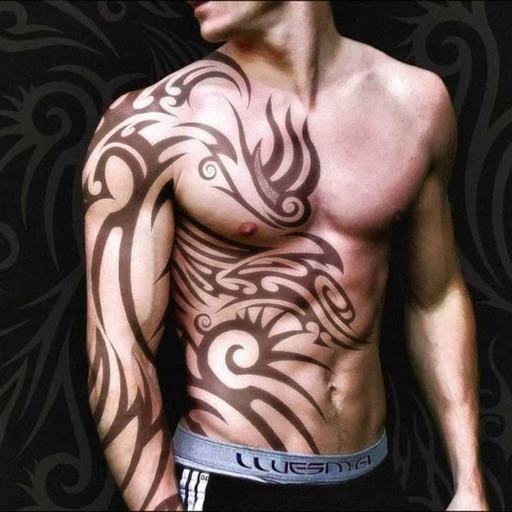
Create tattoos on photos with high-definition images. Select from various styles like dragon, color, love, and kanji. Apply effects and save or share directly. Choose photos from camera or gallery.