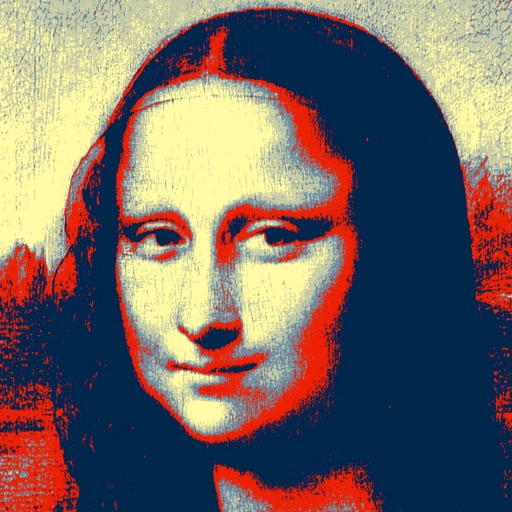
The app transforms photos into halftone and rasterized artwork using dots, lines, and shapes. It offers creative modes like Grid, Interlaced, Radial, and Photo, with options for bicolor, multicolor, or full color.
Create logos, flyers, and business cards using 100,000+ editable templates. Use AI tools to generate logos or turn text into images. Export designs as links or QR codes for sharing.
The app allows users to print photos, photo books, and personalized gifts from their smartphone. Users can select photos from their device or social media, choose formats, and customize products before ordering.
Order prints, albums, magnets, frames, and posters directly from your phone. Create custom books with a simple interface. Upload photos and select print sizes. Preview and purchase products instantly. Share printed memories with others.
Take photos and videos with 200+ real-time filters, motion graphics, textures, and light leak effects. Adjust skin tone and apply vintage looks. Export edited media in various formats and share directly.
The app provides a daily feed of user-generated DIY project ideas for home and garden needs. Tutorials include material lists, budget, time estimates, and difficulty levels, with a community comment section.
Edit photos with filters, stickers, text, and frames. Access images from social media and cloud accounts. photos via IVY Photo Printer or IVY CLIQ+/CLIQ+2 cameras. Share edited photos and order sticker prints for personal items.
Select or images from the device. Choose from standard or canvas sizes. directly through the without account creation or ads. Share prints via integrated apps like or Instagram. Pay in-store upon pickup with no tracking or additional fees.
Convert photos to pencil sketches with adjustable effects including ink, outline, stony, charcoal, and cartoon styles. Support black and white and color pencil painting. Apply stylization, high contrast, and other advanced editing tools.
Create visual designs for events, products, or messages using AI. Generate layouts, add text and images, and customize colors and fonts. Export designs in various formats and share directly.
Take photos and apply artistic filters such as cartoon, comic, , and oil painting styles in real-time. Adjust filter settings instantly. Export edited images in various formats. Share directly from the .
Adjust image and crop in inches or centimeters. multiple photos on a single sheet. Preview exact dimensions before sending. Ensure high resolution by checking PPI settings and avoiding stretching below 200-300 PPI.
Edit photos with nine customizable filters. Crop and position images. Add multiple lines of text and messages. Save creations to the library. Share directly to Facebook, Twitter, and other platforms.
Save and share Instagram stories with video playback and hashtag generation. Repost photos or videos anonymously. Create stories using free templates. Customize profile pictures with border styles. View stories without account login.
Create -themed collages using 100+ available frames. Add text with customizable fonts and colors. Adjust opacity and rotate images. Select photos from gallery or camera. Apply effects to enhance visuals.
Set and lock screen images from a large collection. Access iMessage stickers and messages. Download new content regularly. Customize themes and apply them to devices. Share with others.