The app offers calculation, aggregation, and conversion features. It includes live math expressions, graphing capabilities, and the ability to share user-defined functions.
by QApps LLC★ 4.24 ratingsEducation$12.99Data updated 2026-11-19
Perform complex mathematical calculations with up to 15 digits of decimal precision. Handle large numbers without ellipsis. Save and reuse calculation equations. Access calculation history even after closing the .
Perform complex calculations with 10 financial worksheets and 10 calculators. Switch between landscape and portrait modes. View results in decimal, fraction, or percentage formats. Save and recall previous calculations. Export data as text or PDF.
Calculate measurements and perform unit conversions for projects. Perform trigonometric calculations and angle measurements. Access a full user guide and use built-in formulas for precise calculations.
Calculate dimensions and pressure loss for 7 materials. Solve linear and rolling offsets, cutbacks, and other job site equations. Convert units and store standard data for quick access.
Solve equations and graph functions with advanced math support. Perform calculus operations and matrix calculations. Customize settings for precision. Access detailed tutorials and a comprehensive user manual.
Record calculations and automatically generate memos with formatted text. Edit and save notes directly. View calculations with clear commas and a large + button. Sync memos across devices. Share notes via email or cloud services.
Calculate air bend tonnage for metal fabrication by selecting material type, thickness, and vee die opening. Determine minimum flange length and inside bend radius. Output results for use with any brand press brake.
Convert numbers between bases 2 to 30 with real-time updates. Perform calculations in multiple number systems. Display results accurately with a clean, intuitive interface. Switch between bases instantly for precise outputs.
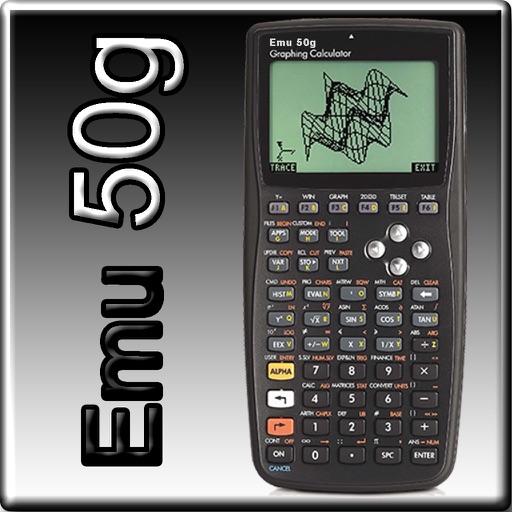
The app provides full emulation of the HP50g calculator with its original skin. Users can save and load calculator states, transfer files, and copy/paste results.
Calculate time durations between dates and times. Add or subtract time intervals. Track working hours with customizable settings. Support for 24-hour and 12-hour formats. Handle time data from flight logs and other time-based records.
Calculate mathematical expressions with infix notation, view full equations as they are typed. Customize themes to match personal style. Access via lock screen widgets. Use one-handed keyboard for larger devices.
Create and analyze mathematical functions with interactive graphing. Manipulate equations, zoom, and pan graphs. Access a clean interface with logically placed tools. View detailed error messages and scroll through results without navigation clutter.
Perform calculations with feet, inches, and fractional inches. Add, subtract, multiply, divide, and compute roots or powers. Scale drawings using the scaling feature. Convert and manage measurements directly within the .
Allows users to view, edit, import, and export PDF, Word, Excel, and PowerPoint files. It includes Writer for document creation and editing, Calc for spreadsheet calculations, and supports full OpenOffice functionality.