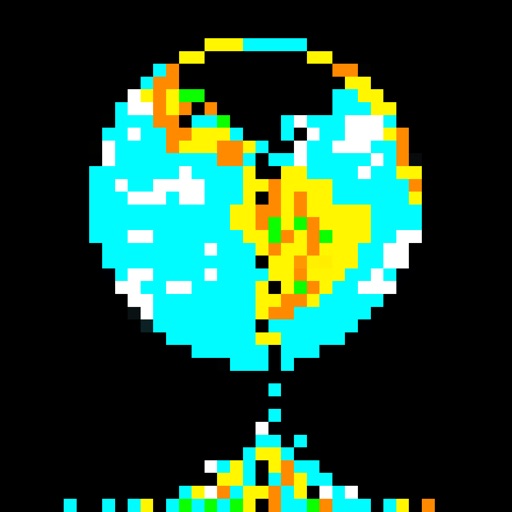
The app allows users to take pictures and observe them collapsing under gravity. Dark areas function as empty space, and users can interact with falling pixels by touching the screen.
by Johannes Pfahler★ 4.413 ratingsPhoto & VideoFreeData updated 2026-10-29
Solve screw-pin puzzles by rotating and removing pins to clear levels. Color wool pixels to create images. Complete puzzles to unlock new art pieces and progress through increasingly complex challenges.
Play with unique game modes featuring cats, blasters, and dodgeballs. Adjust gravity and special rules per round. Compete in local multiplayer or solo classic mode. Track high scores and replay matches. Customize controls and power-ups.
Create custom avatars and choose from multiple game modes including drawing, guessing, and playing with friends. Participate in daily challenges to compete globally and earn coins by guessing others' drawings.
Play puzzle games with two modes: rotate colorful circles to reveal hidden images or slide and swap tiles to uncover pictures. Solve puzzles without time limits or stress. Track progress and revisit completed puzzles. Share achievements with friends.
Direction to navigate levels, avoid traps, and pass through gaps. Move characters across platforms, collect items, and unlock new worlds. Track progress and replay levels with different challenges.
Customize a virtual monkey with name, color, and photo background. Throw, stretch, and feed the monkey with fruit. Play catch with a ball and tilt device for gravity effects. Interact via touch and multitouch gestures.
Explore a procedurally generated world with realistic graphics and detailed models. Build structures, challenges, and interact with diverse biomes. Hunt animals, avoid enemies, and navigate through caves and water sources.
And photos in JPEG or PNG formats to specific pixels, percentages, or proportions. Adjust image size for social media platforms like Facebook, Twitter, and Pinterest. Maintain quality during resizing and batch multiple images.
Create art with a complete toolset including layers, timelines, and advanced coloring. Edit spritesheets, GIFs, and game assets. Use touch or pen for optimized drawing. Render with high-performance Metal technology.
Play a match-3 game by launching balls to match three or more of the same color on a track. Avoid letting balls fall into the hole to keep playing. Complete levels by clearing all balls from the track.
Customize spaceships with weapons and missiles. Explore stations and alien worlds. Customize tracks as battlefields. Adjust ship designs and layouts. Play in high-quality graphics with realistic environments.
Remove backgrounds from images by drawing a closed curve. Automatically erase similar color areas for transparent results. Adjust brush size for precise edits. Pan, zoom, and rotate images.
Create that pop with sound, float across the screen, and fall due to gravity. Draw letters, numbers, and shapes with touch input. Interact by touching to move and explore simple drawing features.
Children can interact with a goldfish by touching the water surface to feed it. The goldfish moves toward where food is sprinkled. Users can navigate the intuitively through . The encourages learning and accomplishment through playful interaction.
Play a jumping game by pressing and holding the screen to build jump strength and releasing to launch the worm. Avoid falling to progress. Compete on leaderboards with friends and try different game modes for varied challenges.