Record and playback audio samples with a multi-octave on-screen keyboard or MIDI device. Save, load, and reverse samples. Loop samples in forward, reverse, or forward-reverse modes. Apply reverb, resonant filter, and sample rate/bit crusher effects.
by erik sigth★ 4.931 ratingsMusic$5.99Data updated 2026-09-09
Play music with a 3D kit and AR kit for immersive practice. Use Beat Pad to control keyboard and pads on one screen. Access hundreds of loops across genres and eight studio-quality sets. Download additional sound banks and use MIDI functionality.
Create with virtual instruments, effects, and AUv3 plugin support. Arrange beats, adjust tempo, and export tracks. Share projects directly or sync with DAWs for further editing.
Create and edit complex rhythmic patterns with independent sequence lengths for each drum voice. Generate polyrhythms and polymeters. Export sequences for use in AUv3 hosts or external drum machines.
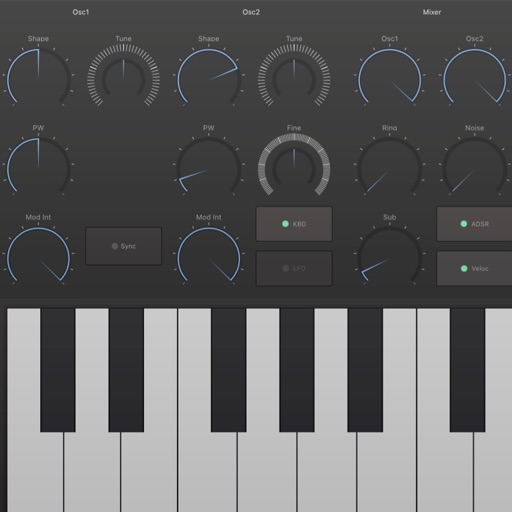
Create and manipulate music with a virtual analog . Generate lush pads, deep basses, classic keys, and vibrant leads. Adjust filters, envelopes, and modulation parameters. Save and export projects in multiple audio formats.
Record audio, MIDI, and drum tracks with unlimited layers. Apply real-time effects like Guitar Amps, VocalTune, and Reverb. Mix and edit tracks on the go. Share projects and collaborate with other artists via Songtree.
Create drum sounds using a unique synth without samples. Adjust parameters for tone and rhythm. Save and load presets. Export audio files and share directly.
Play audio files and display lyrics or PDFs alongside playback. Automatically scroll text as tracks play. Rearrange songs using loops and audio segments.
Create and manipulate electronic music with 64-voice analog and PCM synthesis. Access over 900 presets from renowned artists. Adjust filters, envelopes, and modulation parameters. Export audio files and integrate with DAWs via AUv3 plugin.
Create and edit music using a modular synthesizer with a pattern-based sequencer. Import XM and MOD files. Record audio via microphone or line input. Export multitrack WAV files. Support 16/24/32bit audio formats and MIDI input/output.
Create and manipulate granular audio with real-time sound file granulation. Generate effects like time/pitch shifting and intricate textures. Record, scrub, and shape envelopes. Manipulate buffers and explore complex scrub pads.
Play musical notes using a MIDI keyboard and pedal connected to iOS or macOS. Access a subset of the 2 pipe organ samples by Joseph Basquin. Adjust settings via the Napo documentation and user manual.
Create and edit beats using samples and sequencer programming. Tap pads or use advanced controls for sound shaping. Build complex sequences and customize rhythms. Export projects and share beats directly.