Apps Like Pascal: 3-in-1 Calculator for iPhone and iPad
Calculate, graph, code with precision
Perform complex calculations with scientific, graphing, and programmer modes. View graphs and equations. Use the Today widget for quick access. Unlock advanced features with in- purchases. Reinstall to reset trial periods.
by Andrew Wei★ 4.023 ratingsProductivityFreeData updated 2026-09-09
Perform complex calculations using 10 built-in calculators including scientific, financial, and unit conversion tools. Access 10 financial worksheets for budgeting, loans, and investments. Save and share calculation results.
Perform statistical calculations, graph functions, and handle scientific and matrix operations. Access all features without ads or付费 restrictions. Replace physical calculators for test preparation and academic use.
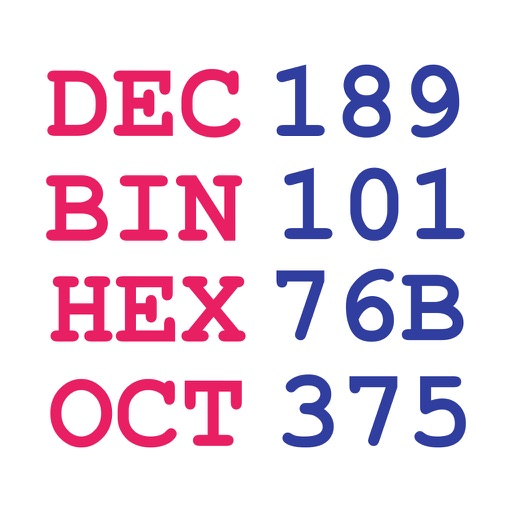
Perform calculations with binary, octal, decimal, and hexadecimal values displayed simultaneously. Enter and view hex codes and RGB values on the same screen. Display up to 19 decimal digits. Toggle conversion reset on or off.
Perform complex calculations with support for hexadecimal, octal, and binary. Use RPN mode and multi-line display. Access unit conversions, constants, and scientific notation. View a paper tape and use multiple undo/redo functions.
Solve problems with step-by-step explanations. Input equations via camera or text. Access solutions for algebra, calculus, and graphing. Subscribe for unlimited help and automatic renewals.
Perform calculations a scientific featuring pi, exponents, square root, negative numbers, and logarithms. View calculation and adjust decimal places or use thousands separators. Customize keyboard colors and sounds.
The app allows users to enter and modify formulas while checking them, preventing errors. It provides a history of formulas and answers, supporting various number systems and memory functions for calculations.
Perform basic and scientific calculations with equation display and history tracking. Switch between binary, octal, decimal, and hexadecimal modes. Calculate fractions directly. Use widget for quick computations.
Perform complex calculations with a powerful math core and algebra engine. Display mathematical expressions with proper formatting. Solve equations, graph functions, and convert units. Access scientific, financial, and programming calculators.
Scientific calculator allows complex equation solving, graphing in portrait and landscape modes, and polynomial root finding up to 10th degree. Adjust font sizes and graph line widths. Solve systems of equations and matrices.
Convert numbers between decimal, binary, hexadecimal,
Convert numbers between decimal, binary, hexadecimal, and octal systems. Input integers from 0 to 2^31-1. Perform conversions in both directions. Display results in selected number formats.
With symbolic algebra, equation solving, and calculus functions. Supports fractions, repeating decimals, and high-precision numbers. Displays results as simplified expressions or numerical values.
Perform complex calculations using 12 built-in calculators including scientific, financial, and unit conversion tools. Input formulas with three modes: standard, string, and RPN.
Lets users switch between basic and scientific modes with over 30 operations. Customize leather color and background texture on iPad. Use portrait or landscape orientation on iPad. Take notes or draw on the screen.
Perform complex calculations with scientific, financial, and unit conversion tools. Access 10 financial worksheets for budgeting and planning. Switch between landscape and portrait modes. Save and export calculation results.
Solve equations and graph functions with advanced math support. Perform calculus operations and matrix calculations. Access detailed tutorials and a comprehensive user manual. Export results and share calculations.
Solve complex equations with trigonometry, logarithms, powers, and factorials. Graph functions instantly in DEG/RAD mode. Switch between scientific and graphing modes. Store and recall equations. Export graphs and calculations.