The app converts user photos into latte art on the iPhone. It offers a gallery of photos and sketches for users to try and allows sharing latte art with friends on selected social networks.
by YUBI★ 2.84 ratingsPhoto & VideoFreeData updated 2026-10-29
Create dynamic wallpapers using personal photos. Select templates, add images, and generate cohesive collections. Automatically change wallpapers based on selected photo sets. Sync with iOS 16 Photo for seamless integration.
The app analyzes and redraws photos from scratch, creating pencil sketches of remarkable quality. Users can explore art possibilities with simple controls and save creations in 4K resolution.
Create photos with customizable . Select from options. Add photos from gallery or capture new ones. Apply filters for enhanced appearance. Include stickers or emojis. Save and share edited images.
Turn your camera into a creative tool with . Apply fluorescent color filters to photos. Choose from 30 color combinations. Tap to switch views and capture images with unique color effects. Share edited photos directly.
Create videos using real-time effects and audio synchronization. Adjust parameters to control visual elements. Apply glitch, lofi, and music styles. Export and share finished projects. Perform live effects with intuitive controls.
The app allows users to create pixel art for iron-on beads and bead stitching. It supports importing and scanning photos into a pixel art canvas with adjustable sizes and various bead shapes.
Use augmented reality to and images from photos or the camera. Draw on paper with a pencil using phone support. Convert photos into drawings. Save and share artwork.
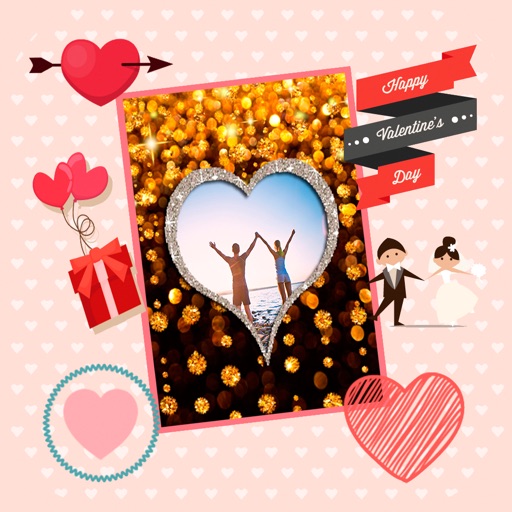
Create by selecting from various and adding photos from the gallery or camera. Adjust photos with zoom, rotate, and move gestures. Save and share customized greeting through social networks.
Edit photos with filters, effects, and shapes. Add text and stickers. Crop and adjust images. Share directly to social networks. Apply pre-designed styles for modern looks.
Apply filters to photos from the gallery or during capture. Choose from twelve unique styles including cartoon, sketch, and paint effects. Edit images with artistic filters and save or share the modified photos.
Apply with a wide range of filters, effects, and backgrounds. Adjust skin tone, brightness, and contrast. Add stickers and text. Share edited selfies and videos directly. Sync with social media platforms.
Apply , infrared, and night filters to photos and videos. Adjust color temperature and intensity. Export edited content in various formats. Share directly from the .
Create collages by combining multiple photos from the gallery. Choose from various frames and themes. Apply filters to enhance images. Share collages directly to social media platforms. Edit individual photos with cropping and adjustment tools.
Simulate 135, 120, disposable, Polaroid, and classic digital film cameras with accurate color and texture reproduction. Capture photos with film effects. Create and view photobooks in a book-like album format.
Edit photos and videos with time-based filters to alter appearance across ages. Try different hairstyles, haircuts, and colors using uploaded images. Apply popular influencer effects for social media sharing.
Capture photos with AI-driven replication. Save a reference image to mimic its colors and tones. Adjust exposure, contrast, and saturation automatically. Export edited photos in high resolution. Share directly to social media or messaging apps.
Create AI art from photos using one-tap style templates. Generate viral videos with automated editing. Customize videos by describing ideas. Add text, stickers, and effects. Export and share finished projects.