Turn photos into paintings with one-tap conversion. Edit, add signatures, and share on social media. Print artwork via CanvasPop with frame and size options. Transform videos into animated paintings.
by Code Organa LLC★ 4.813,974 ratingsPhoto & VideoFreeData updated 2026-09-09
Create and share sketches with realistic brush strokes and modeling effects. Study forms, shapes, and architecture. Save drawings to photo library or social media platforms like Twitter, Facebook, and Sina Weibo.
Create and share short videos as animated GIFs or MP4. Capture frames with the or import photos, videos, or Live Photos. Apply real-time color filters, add text or frames, and choose stop motion or video mode.
Create sketches from photos with adjustable brush settings and layer controls. Choose from multiple art styles including cartoon, silhouette, and watercolor. Edit sketches with tools for tracing, erasing, and color adjustments.
Allows users to paint and the Family using rainbow brushes and glitter pencils. Includes 200+ pages with themes like animals, cars, and dinosaurs. Features mandala drawing games and interactive activities.
Turn photos into paintings using AI-generated filters. Get artistic tips and critiques for your work. Create titles, poems, songs, or short stories inspired by your artwork. Experiment with different styles and share finished pieces.
Create digital paintings using a virtual canvas. Select colors and brush types. Adjust brush size and opacity. Save and share artwork. Export in various image formats.
Numbers to create artwork. Choose from a variety of colors and designs. Save or share completed colorings. Adjust intensity and select pre-designed patterns.
Take a selfie and submit it for others to portraits. Browse community artwork including masterpieces, doodles, and caricatures. Use GPU-accelerated tools with various brushes for drawing.
Edit photos and videos with vintage and retro styles using curated presets. Apply filters to adjust color, contrast, and tone. Use templates for minimal, paper, film, or polaroid effects. Export edited content in various formats and share directly.
Access inner truth and wisdom through 44-card readings. Draw single for quick advice on -care, setting boundaries, and -love. View fantasy watercolour artwork and receive guidance on finding peace in any situation.
Create and style photos with single tap effects. Apply 8 filters including , Cartoon, and Dots. Share images to social media or save to photo library. Print photos directly.
Create mandalas using watercolor, crayon, and oil paint tools. Add glitters for sparkle effects. Choose from anti-stress coloring pages and creative templates. Save and share finished artwork.
The app allows users to apply photo brushes to transform pictures into paintings. It offers 20 kinds of art photo brushes with adjustable direction, hue, saturation, and blur, and includes an auto painting mode.
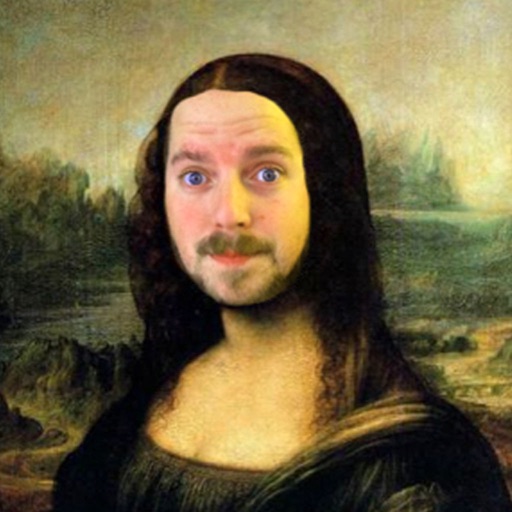
The app allows users to insert their face into 200 classic paintings using face recognition. Users can then add over 200 images, captions, and more than 40 frames to their creations before sharing them.