The app provides musicians with over 100 royalty-free music samples, including drum and percussion sounds. It allows for adjustable tempo, scale, and tanpura tuning for practice and performance.
by Nemat Behiar★ 3.936 ratingsMusicFreeData updated 2026-10-28
Create beats using a drum pad interface with customizable sound packs. Record up to 32 sequences to build full songs. Edit and arrange patterns with visual feedback. Export tracks in multiple audio formats.
Create and edit music with real-time audio manipulation. Time warp, pitch shift, and rearrange audio clips. Use a sampler, add vocals, and integrate Audio Units. Edit and arrange tracks within a streamlined interface.
Create and manipulate audio loops with customizable settings. Sample and sequence MIDI data. Host plugins and build custom effect chains. Sync with external devices and control performance parameters in real time.
Create sequences by tapping on sound samples like Snare, Hi-Hat, and Clap. Adjust tempo (bpm) to control speed. Build sound patterns by arranging samples in a grid. Save and export created sequences.
Edit recordings with automatic volume normalization and sonic enhancement. Adjust equalizer settings or apply preset boosts. Create AI-generated videos and reels from files. Export in multiple formats and share directly.
Control wireless speakers and music centers from iPhone or iPad. Connect via Wi-Fi or Bluetooth to play music from phone library. Auto detect speakers and resume previous sessions. Stream music directly from iPhone.
Create music by mixing vocals, bass, and instruments with drums. Apply professional effects and use loops to build mixes. Record music sessions and share creations.
Create and customize drum loops with adjustable rhythm and measure settings. Add custom sound samples from real instruments. Choose from three preset tracks or build your own percussion kits. Export high-definition audio files.
Play with a full-featured media that supports repeat and shuffle. Search for favorite quickly. Manage a playlist of preferred tracks. Remove ads by subscribing to the Pro version.
The app provides a quick and easy way to create beats using inbuilt or imported sounds. Its pattern editor sequencer allows for simple drag-and-drop rhythm tweaking.
Create beats and melodies using drum kits, synths, and melodic instruments. Sample audio via phone microphone. Edit MIDI sequences and export tracks to Live. Explore sound libraries and experiment with effects. Save and share musical ideas directly.
Create and mix music beats using loops, drum patterns, and samples. Record original melodies and mixtapes. Play on virtual pads with tap-to-trigger functionality. Export and share tracks directly.
Create and produce -hop using a variety of sound packs and drum kits. Adjust tempo, add effects, and layer samples. Export tracks in multiple formats and share directly.
Create music using drum kits, samples, and sound effects. Tap sample blocks to build beats and tracks. Add melodies, snares, cymbals, and kicks. Export and share finished compositions.
Track ambient noise levels with a decibel meter. Use white noise to improve sleep by masking environmental sounds. Access offline and white noise without an internet connection.
Create and customize drum kits with samples, presets, and modulation options. Sequence patterns with intuitive editing tools. Import custom samples and use intelligent randomizers for new drum ideas. Export and share drum sequences.
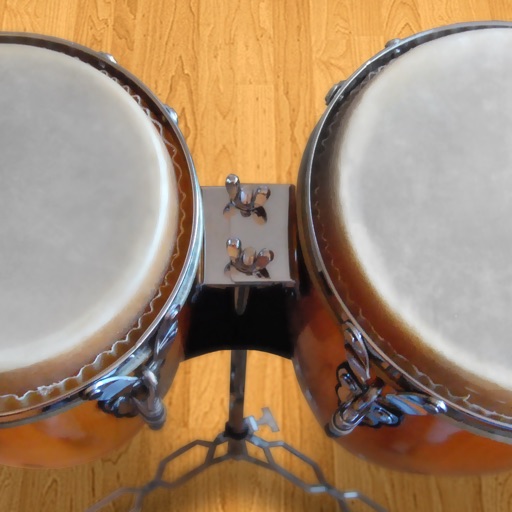
Play conga drums with 18 professionally recorded and mastered sound samples. Include cowbell and sticks for additional percussion. Adjust playing with no latency. Optimized for iPhone and iPad speakers and headphones.
Create custom mixes by combining different genres and tracks. Add vocals, bass, pads, and beatbox samples. Use 4 slots to arrange modules. Access preloaded packs of lo-fi hip-hop, trap, R&B, and drum and bass. Export and share finished mixes.