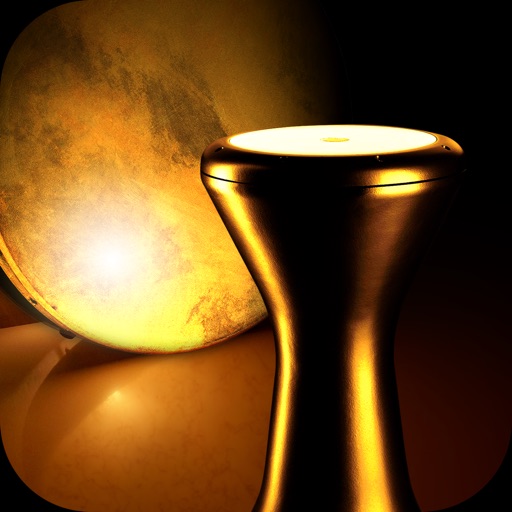
The app provides musicians with over 100 royalty-free music samples, including drum and percussion sounds. It allows for adjustable tempo, scale, and tanpura tuning for practice and performance.
by Nemat Behiar★ 3.936 ratingsMusicFreeData updated 2026-10-28
The app provides over 40 multi-sampled instruments and hundreds of scales for playing in any style. Users can sound like a professional musician, even with no prior experience, by selecting an instrument and jamming.
Adjust tempo and follow user taps for custom beats. Display up to 16 beats with adjustable emphasis or silence. Select time signatures quickly. Track practice sessions and share recordings. Sync with music apps for real-time feedback.
Create and record musical patterns by tapping and swiping multi-touch pads. Record continuously without setting a tempo. Drag and adjust pads for customization. Play and refine patterns without stopping. Sync with audio units and standalone devices.
Extract vocals, drums, guitar, bass, piano, strings, and other instruments from audio files. Split tracks into 2, 4, or 5 stems. Create backing tracks and specific elements for music production. Save and share isolated audio files.
Play digital tabla, tanpura, and shruti maestro instruments with realistic sound. Adjust tuning, select rhythms, and control volume. Save and load custom setups. Sync with other devices for live performances.
Play using 18 high-quality, professionally recorded samples. Add cowbell and sticks for additional percussion. Adjust sound settings for optimal playback on iPhone or iPad. Perform with low latency for precise timing.
Practice chords with interactive diagrams and multiple finger placements. Learn chord progressions and build songs. Tune with built-in tuner. Record and playback practice sessions. Sync progress with cloud storage.
Create guitar riffs by selecting preset musical styles and tapping "Create". Listen to and save the generated riff as tablature. Customize settings to adjust and refine the riff further.
Create and play ambient , soundscapes, and textured drones on-device. Generate melodies and arpeggios from text. Export MIDI files. Use free Lite mode or upgrade to Pro for advanced features. Sync with other apps.
Play with a complete and multi-touch support. Choose from grand , synthesizer, or organ. Learn chords through an educational game. Practice with a built-in metronome and sustain pedal. Perform popular songs and view note names.
The app provides HD Reggae drum loops for musicians. It features intuitive controls for tempo and gain, with polyphonic percussion soundboard functionality.
Create and edit electronic music with a sequencer, synthesizer, and sampler. Record samples via microphone or re-sample existing audio. Use 8 channels with 8 patterns each for rhythm and melody. Automate parameters and export projects as WAV files.
Edit and manipulate audio samples within a sample library. Import custom samples and access an online store. Use as a standalone or AUv3 plugin. Create new music by chopping, looping, and arranging samples.
Play Middle Eastern with over 300 rhythms from Egypt, Morocco, Iran, Turkey, and Greece. Adjust tempo and measure types including 4/4, 7/8, and 15/16. Layer sounds with Round Robin samples. Export performances and share files.
Create and customize kits with 154 options including 42 classic and 112 original electronic kits. Adjust sounds, velocities, and effects. Record and playback performances. Sync with MIDI devices and control via touch or pads.