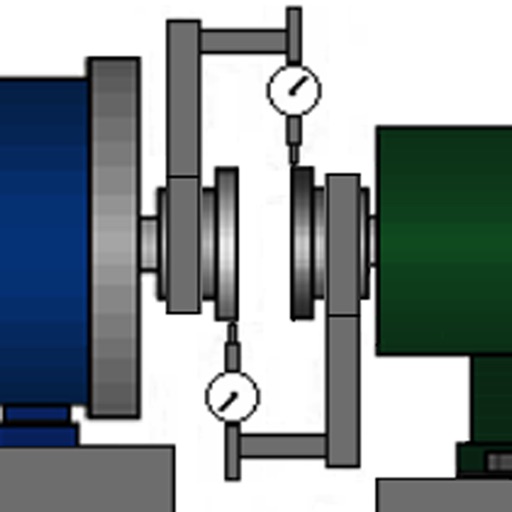
The app guides users through shaft alignment using indicator dials for applications like motors and pumps. It simplifies calculations and machine movement determination, automatically compensating for bar sag with the Fixturlaser Dial Kit.
by Acoem AB★ 4.02 ratingsProductivityFreeData updated 2026-10-28
Adjust exposure settings with precision, including extended sensitivity and independent calibration. Measure incident and reflected light. Save exposure data. Connect with f/Tools. Choose between two interface designs.
Find and apply to paid shopping and research gigs. View job details, set preferences for location and timing. Receive payment directly from the company posting the job. Manage available opportunities and track application status.
Calculate altitude using GPS, ASTER, or barometer (iPhone 6 and later). Display average altitude from GPS and ASTER data. Show peaks, compass, and distance grid on an integrated map. Support Apple Watch. Choose unit of measurement.
Create calligraphy, customize styles, save and share
Create Arabic-style calligraphy with customizable styles and colors. Design with vector shapes and adjust curves. Align text or shapes using alignment tools. Adjust layer order to bring elements forward or send them back.
The app calculates machine shaft alignment corrections using multiple methods. It generates PDF reports with user signatures, sketches, audio, and image attachments, and allows saving alignment sessions for later review.
Corrects color distortion caused by actinic LED lighting in aquariums. Adjusts colors in real-time during photo capture. Allows manual fine-tuning of color balance and brightness. Saves and shares corrected images directly.
Adjust home temperature remotely using intuitive dials. Set and adjust thermostat settings from anywhere. Receive notifications about temperature changes. View energy usage reports. Schedule temperature adjustments for specific times.
Convert measurements with a interface for volume, mass, and temperature. Adjust portions, toggle between US, metric, Australian, and imperial units. Input numbers directly for precise conversions.
Measure by matching the inner edge to the 's white circle. Adjust the slider to align the diameter or circumference. View results in metric or imperial units, including US, Canadian, and Australian sizing systems.
Calculate the position of Polaris or σ Octantis in your reticle based on location via GPS or manual input. Correct for atmospheric refraction to improve alignment accuracy. Measure and correct for misalignment.
Edit Markdown files and export to PDF or HTML. Sync documents with cloud services like Dropbox and Box. Generate PDF and HTML from Markdown content. Store and manage .md files and exported documents.
The app helps users align their satellite dish by selecting dish location and satellite. It displays the dish's precise direction for optimal signal reception.
Distances using Augmented Reality. Tap to place markers and calculate lengths. Undo measurements. Choose different colors for markers. Take screenshots. Switch between metric and imperial units.
The app offers polar alignment for amateur astronomers with over 30 reticle types and atmospheric refraction correction. It includes push-to/manual GoTo, a deep-sky object database, astro weather forecasts, and iOptron mount WiFi control.
Calculate based on set tour lengths and actual worked times. Input normal tour duration once, then enter worked tour for calculation. Supports RDO, PreTour, and wrap-around . Set rates and compute compensation in cash or time.