Generate secure passwords with custom character sets
Generate secure passwords using true randomness. Customize character sets including lowercase, uppercase, numbers, and symbols. Exclude or include specific characters as needed.
Compose and manage directly on . Edit, view, and organize with color themes. Sync across iPhone, iPad, and . Use FlickType Keyboard for efficient note-taking.
Write notes, create checklists, and schedule tasks. Adjust text size with pinch gestures. Automatically expand column height based on text or font size. table of contents for organized notes.
Write notes with a simple graphical interface. Customize note colors and adjust text size. Set alarms for reminders. Delete notes by long-pressing the pin. Organize daily tasks and manage reminders effectively.
Create and edit text-based stories, notes, and wordplay. Sort entries by date, title, or last modified. Adjust font size using a slider. Features include large default font and minimalistic interface without spell checking or autocorrection.
Create messages with customizable fonts, backgrounds, and bubble designs. Choose from themed colors and patterns or generate random designs. Add effects and share messages with friends.
Create notes based on incoming notifications. Tap to view details, edit text, or set reminders. Share notes via email or messaging. Customize appearance and settings.
Write notes with rich text formatting, including bold, italic, and underlining. Adjust fonts, sizes, and colors for emphasis. Create bullet and numbered lists for organization. Attach photos, record audio, and sketch ideas.
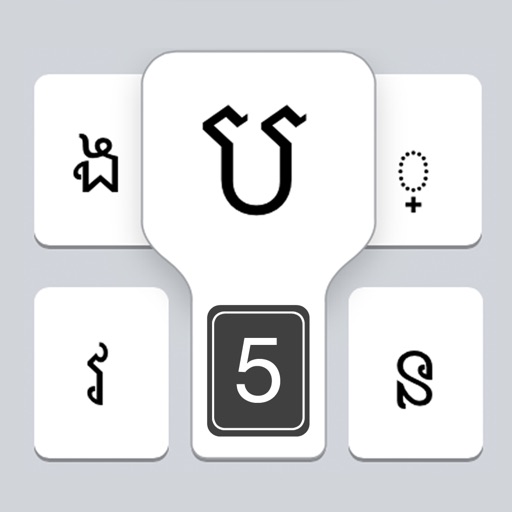
The app provides a fast and beautiful Khmer keyboard for iOS. It includes character preview, a 5-row layout, and full Khmer character support for easier typing.
View and Gregorian dates side by side. Track months, years, and SEIL days. Receive notifications for holidays and special days. Display Cambodia public holidays in red and special days in blue. Switch between day and month views.
Create and manage notes with a home screen for quick access. Add text, images, and voice memos. Set reminders and organize notes into folders. Sync across devices and share notes via links.
Provide ideas and wallpapers for a game. Click outfits to copy, share, or download codes. Save codes in text files. No in- purchases. Share codes with friends for use on iOS devices.
The app allows users to create unlimited notes and reminders with a unique design. Users can personalize notes with multiple colors, sizes, and fonts, and sync them across devices via iCloud.
Save notes to by tagging them quickly. Add Lock Screen widget for faster -taking. Use official authorization for secure data transmission. Sync offline notes when connected.
The app allows users to create and organize notes, share them with others, and sync with a Synology NAS server. It offers editing features for note-taking anywhere, even without a network connection.
Manage notes, customize themes, and organize tasks
Create, edit, and organize notes with intuitive note management. Choose from 7+ themes to customize the appearance. Select from multiple fonts to personalize the look. Export notes in various formats and share directly.
The app provides a Khmer system keyboard for iOS. It assists users with installing fonts, typing in Khmer, and quickly copying text to other applications.
Manage plain text with iCloud sync and support. Create and organize links. Integrate with Shortcuts. Access additional fonts, colors, and icons with a one-time purchase. Sync across iPhone, iPad, Apple Watch, and Mac.
Create and edit notes with text input. Count characters in notes. Adjust font size and number of rows displayed. Change order. Share notes with others. Delete notes. Set a password for security. Customize notes as a personal notepad.