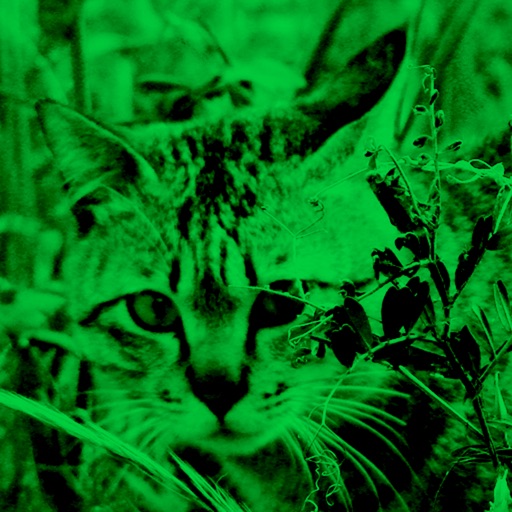
Apps Like Image Intensification Filter for iPhone and iPad
Enhance images with natural light.
The app processes images by magnifying received photons from natural light sources. Users can apply this filter to photos or camera images, not in real-time, to enhance low-light visibility on iPhone.
by Eun Junseok★ 4.02 ratingsEntertainmentFreeData updated 2026-10-27
The app captures photos and videos in low light conditions using a sophisticated algorithm. It offers a Maximal Amplification Mode and allows dynamic adjustment of camera sensitivity and zoom during recording.
The app adjusts image parts to improve visibility in low light. It offers adjustable sensitivity, image and video saving options, and front camera support.
Adjusts settings for low-light photography. Amplifies residual light in real-time. Switches between light amplification and exposure modes. Allows up to one-second exposure for detailed images. Captures clearer photos in twilight conditions.
Enhance low-quality photos using machine learning. Import images from gallery or capture new ones with camera. Tap a button to automatically improve resolution. Compare before and after enhancements in real time.
Upscale photos by 2×, 4×, or 8× using AI. Repair low-resolution images, retouch faces, and apply advanced enhancements. Supports macOS Tahoe 26 and works efficiently on M1/M2/M3/M4 chips. Export enhanced images directly.
Edit photos with analog filters and real-time presets. Adjust brightness, contrast, and saturation. Add text, stickers, and borders. Share directly or save in multiple formats. Apply retro styles for nostalgic effects.
Resize images in pixels, millimeters, centimeters,
Resize images by specifying dimensions in pixels, millimeters, centimeters, or inches. Maintain aspect ratio by linking width and height fields. Save, email, print, or share the resized .
Edit photos using masks and blend modes. Combine images with multi-exposure settings. Apply filters from other apps with adjustable intensity. Add or replace objects and textures. Create custom filters with overlays. Add watermarks or logos.
Capture photos and videos with a Glitter effect for enhanced visual appeal. Edit media from the gallery. Create kirakiragraphs from still images. Swipe left or right to navigate.
Capture selfies with real-time effects and filters. Apply blemish-free skin touch-ups and makeup instantly. Choose from a variety of color filters. Edit photos with one-tap styling options. Share edited images directly.
Apply filters resembling imaging in real time. Capture photos with enhanced visual effects. Record videos using iOS screen recording. Adjust settings for filter intensity and exposure. Share edited content directly.
Capture photos and videos with and effects. Adjust filter intensity and view heat patterns in low-light conditions. Record and save footage with simulated infrared visuals. Share captured content directly.
Allows manual adjustment of exposure up to 1 second. It separates residual and ISO enhancement for improved clarity in low- conditions. Users can tap to focus and capture clearer images during daylight or in dark environments.
RAY INFORMATICS YAZILIM TEKNOLOJI MEDYA DANISMANLIK VE EGITIM TICARET LIMITED SIRKETI
, , and edit photos
Convert printed photos to digital format by scanning and colorizing them. Apply various templates and filters to enhance images. Save and share the edited photos directly.
Captures high-quality photos in low-light conditions with manual exposure settings up to 1 second. It includes separate controls for residual light and ISO enhancement. Users can adjust focus, white balance, and exposure compensation.
Enhance and restore old photos using AI image processing. Adjust clarity, color, and brightness. Remove blur and repair damaged areas. Convert black and white photos to color. Export edited images in various formats.
Capture photos using Auto, Manual, RAW, Slow Shutter, and Macro modes. Apply built-in filters and adjust brightness, contrast, and saturation. Edit images with cropping, straightening, and exposure tools.
Enhance low-light photos with increased light intake and 8x zoom. Apply thermal imaging, green mode, and binoculars effects. Adjust brightness and contrast for clearer images in dark conditions. Share edited photos directly.