Documents directly from PDFs without printing or scanning. Add signatures or initials with a tap. on any device from home, work, or public places. Choose from multiple signature styles and save signed documents securely.
Scan using your device’s camera. forms directly in the . Add signatures via finger, stylus, or photo. Send signed instantly. No login required. No subscription fees.
Create and manage cards with customizable templates and a PDF editor. Add images, text, colors, and stickers. Generate QR codes with custom colors and unique fields. Scan and store regular cards and QR codes.
Scan documents, receipts, and notes to create high-quality PDF or JPEG files. Sign and edit documents. Use smart image editing with color correction. Scan multiple pages and organize files by date or name. Share scans via email or AirPrint.
Fill and save PDF forms directly. Sign and counter-sign agreements via email. Avoid printing, scanning, and manual entry. Share signed documents securely. Manage multiple signatures in one interface.
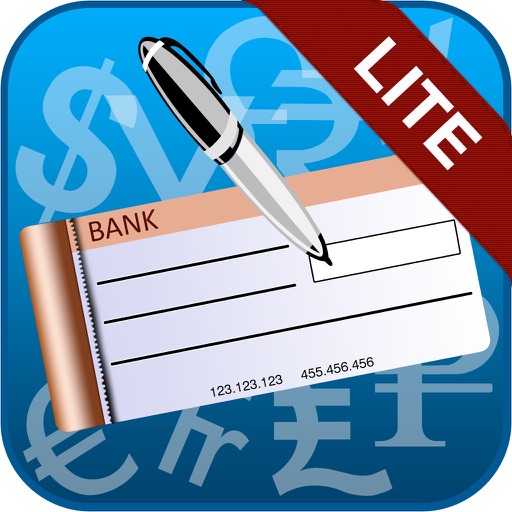
The app allows users to print cheques from an iPad to any AirPrint enabled printer. It offers features such as setting up unlimited cheque templates, automatically spelling out cheque amounts, and detecting cheque sizes from images.
Scan documents and receipts using the , save as high-quality PDFs, and share files directly. Organize scanned items into folders. Edit text and add notes to documents. Export in multiple formats and send via email or messaging.
View, organize, and manage PDF files with merging, splitting, and securing tools. Scan and list all PDFs on your device. Keep documents locally for privacy and use built-in tools to edit and secure files.
Create and edit documents with text formatting, bullet points, and table insertion. Collaborate in real-time with team members. Export files in PDF and formats. documents via email or cloud storage.
Scan documents to create high quality PDF, JPG, or TXT files. Save and organize scanned files in a digital folder. Share documents via email or messaging apps. Convert and edit text within scanned files.
Create personalized messages with letters, filled squares, and circles. Mix different fonts in one message. Copy to clipboard or share on social networks. Add creative styles to every word for unique designs.
Scan documents, receipts, and tickets with a precision scanner. Read and manage QR codes and barcodes. Convert scanned images and documents into editable text using OCR. Save and organize scanned files. Share scanned content directly.
The app allows users to edit original PDF text and images, add links, and organize pages. Users can also annotate, sign, compress, protect, split, merge, and create PDF documents.
Convert images to PDF by scanning from the camera or selecting photos from the camera roll. Generate PDF files in high quality with minimal file size. Print PDFs as needed. No sign-in required and no paid content.
The app reads PDF files aloud using text-to-speech technology with 17 languages. It offers navigation tools and synchronized highlighting to enhance the reading experience.
Create and manage tables with unlimited folders. Add, copy, and duplicate rows and columns. Customize cell properties including color, font, and alignment. Perform batch operations like sorting, deleting, and searching.
Scan and convert paper documents into digital files. Edit scanned pages by adding text, drawing, and signing. Crop and rotate images for precise formatting. Save in black and white to enhance readability and conserve storage.