Apply pop art effects in real time. Adjust color palette and threshold. Modify screen division and switch cameras. Share photos via email, Facebook, and Twitter.
by Kouichi Hayashi★ 2.04 ratingsPhoto & VideoFreeData updated 2026-09-08
Create collages with customizable blur backgrounds and adjustable layouts. Apply filters like black and white, vintage, and retro to enhance images. Edit photos by resizing, cropping, or deleting elements.
Create and share pixel art from photos and videos. Apply artistic filters and textures. Edit color and mood. Connect with others who appreciate your style. Exchange messages and build a creative community.
Edit videos with real-time filters and . Apply lenses like toonify, fire, Instagram, and vintage retro. Adjust colors and settings. Save and share edited videos.
Add accurate date, time, and GPS watermark to photos and videos. Sync with network time for real-time stamps. Edit watermarks manually. Share files with location data preserved.
Create and share short videos as animated GIFs or MP4. Capture frames with the or import photos, videos, or Live Photos. Apply real-time color filters, add text or frames, and choose stop motion or video mode.
Edit photos by dragging, resizing, or shrinking parts to simulate transformations. Adjust facial features like nose, chin, or buttocks. Save and share modified images directly. Apply warping effects for creative or fun purposes.
Capture high-quality photos with resembling DSLR functionality. Adjust focus, exposure, and other settings via gesture-based interfaces. View focus peaking and use a 4x magnifier for precise focusing. Display minimum focus distance for macro shots.
Edit photos with blur background settings, shattering effects, and color frames. Add overlays and crop, rotate, or flip images. Import from gallery or camera, and share edited photos to social media.
The app allows users to create color patterns and apply them to photos. Users can define custom patterns by adjusting colors for gray levels or modify existing ones.
The app adds real-time watermarks to photos and videos, including current time and address. Users can customize timestamp formats, fonts, positions, and add custom text or logos.
Change eye appearance in photos and videos using face detection. Apply funny eye effects like big, sleepy, or cartoon styles. Choose from makeup options including liners and shadows. Select animal or Halloween-themed eye transformations.
Convert photos into limited-color posters with a effect. Apply filters to adjust colors and brightness. Share images on social media platforms like Facebook and Twitter. Save or email the edited photos directly.
Design custom wallpaper for iPhone and iPad by selecting backgrounds or using personal photos. Customize font, color, and frame shape. Change lock screen designs seasonally or daily. Share designs via email, text, or Facebook.
The app offers artistic generative presets, image layers, and adjustment layers for photo editing. Users can create art prints, improve photos, or develop digital art skills with its editing tools.
Aim and bubbles to match three and pop them. Play through numerous unique levels with varying challenges. Use special boosters to overcome difficult puzzles. Save progress and enjoy calming sounds and visual effects.
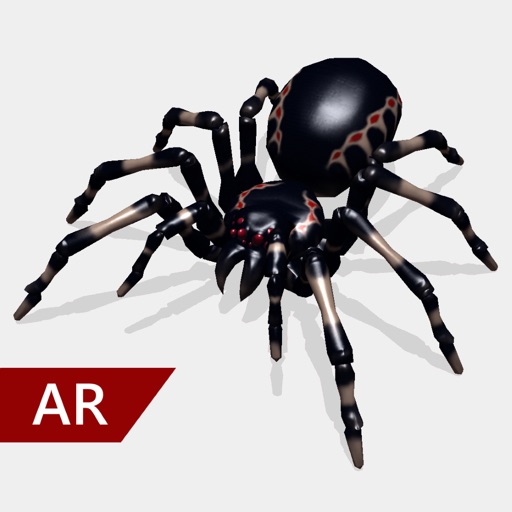
Create and share realistic scary videos featuring interactive . Choose from five spider types and adjust their size. Step on the ground to scare or let them attack. Apply nine full-screen filters to enhance the effect.
Create and style photos with single tap effects. Apply 8 filters including , Cartoon, and Dots. Share images to social media or save to photo library. Print photos directly.