Apps Like MindArchitect Professional for iPhone and iPad
Create professional mind maps easily now.
The app allows users to create mind maps with hyperlinks, embedded images, and tables. Users can export mind maps as PDF, JPG, and PNG files with a single click.
by Nikolaus Gebhardt★ 0.00 ratingsProductivity$19.99Data updated 2026-10-26
Convert images to PDF by importing files or scanning with the camera. Support multiple formats like JPG, JPEG, PNG. Use pre-designed templates for cover and inner pages. Save and share converted PDFs directly.
Allows users to edit and organize text-based content using org mode. It supports real-time rendering of images, hyperlinks, tables, LaTeX, code blocks, and attachments.
Create diagrams such as flowcharts, mind maps, and floor plans. Use a rich shape library with preloaded templates. Drag and drop shapes to build diagrams. Support for multiple diagram types including UML and data flow diagrams.
Convert PDF documents to high-quality JPG/ images. Edit and annotate PDF pages before conversion. Share or print converted images directly from the . Save files in multiple formats and adjust image quality settings.
Create professional cards using templates and customization. Add text, logos, and images. Choose from 1000+ designs. Edit colors, fonts, and layouts. Export and share cards directly.
Create and manage palettes with support for multiple formats including HEX, RGB, HSL, and CMYK. Export colors as PNG or SVG. Save history and access a library. Organize projects and select colors from images, camera, or web.
Photos and images between HEIC, JPG, PNG, and PDF formats. Select files, choose conversion options, and save results. Create PDFs from multiple images. Edit metadata and adjust quality before exporting.
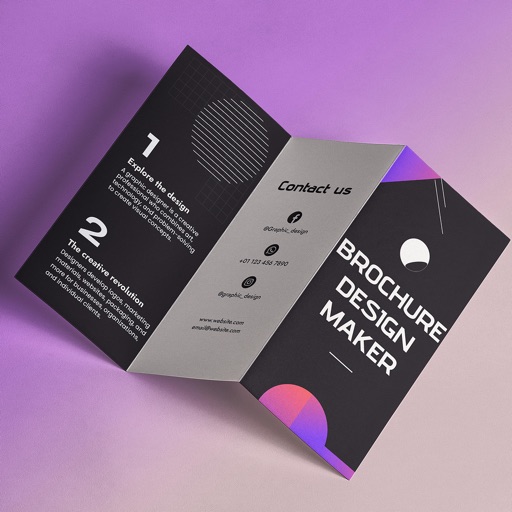
Create brochures by selecting from 2500+ templates across industries like business, travel, and education. Edit layouts, add text, images, and graphics. Export as PDF or print directly. Save and share designs.
Design custom logos with pre-made templates. Add fonts, colors, textures, and shadows. Include gradient effects and text fields. Export logos for Discord, Twitch, YouTube, and Instagram.
Convert documents to and from PDF, JPG, DOC, DOCX, PNG, TXT, and PPT. Edit PDFs with AI-powered image-to-text conversion, document summarization, rewriting, and grammar checking. Export edited files in multiple formats and share directly.
Access real-time flood maps, building dimensions, demographic data, and contact details with a single click. Retrieve and view detailed location information instantly without additional steps.
Scan documents into PDFs and convert images to PDF format. Extract text from scanned files. Manage and organize documents. Edit PDFs and annotate pages. Share files directly from the .
Collect and map field data with customizable forms and attributes. Capture data offline or online. Transfer data to desktop GIS platforms. Edit and manage attributes directly in the field. Sync data with preferred GIS software.
The app plays embedded multimedia files, including audio, video, and animations. It also offers text-to-speech functionality and comprehensive annotation tools for marking up PDF documents.
Convert PDF files to JPG, PNG, and GIF images. Convert images to PDF files. Save and share converted files. Send PDF images via social media platforms.
Create and customize cards with team profiles. Share contact details via QR code or NFC. Embed images, videos, and PDFs. Connect with contacts across over 60 social networks. Save connections to phone book.
Manage account balance and due dates, set up and modify payment methods, view bill history with PDF access. Notify customer service of account issues, receive special messages, and track usage and billing details.
Convert paper documents, receipts, and notes into PDFs using the camera, photo library, or Files . Scan both sides of an ID for a single-page PDF. Organize and store scanned files securely on your device. Export and share PDFs directly.