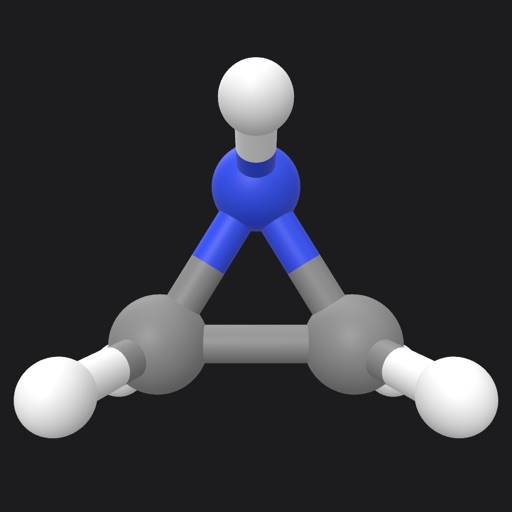
Draw and share chemical structures with interactive tools. Calculate molecular formula, molecular weight, monoisotopic mass, and elemental composition in real time during drawing.
by Kirill Blinov★ 4.010 ratingsEducationFreeData updated 2026-09-08
Solve , chemistry, and physics problems with step-by-step explanations. Save completed questions and in an directory. Share solutions via Print, SharePlay, or export. Collaborate with others in real time.
Explore chemical elements with detailed information and atom structure simulations. Conduct virtual chemistry experiments. Filter and search elements quickly. Download PDFs for each element. Access presentation galleries and movie clips.
Create vector artwork on iPad with precise drawing tools. Align objects to grids, paths, or points. Scale and rotate multiple objects in real time. Use masks to cut out elements from artwork or photos. Position text at any angle or along paths.
Create organizational charts without manual drawing. Add team members, assign roles, and automatically generate visual hierarchies. Edit structures, export as images or PDFs, and share directly with colleagues.
Solve math problems step-by-step with detailed explanations. Input equations to see solutions. Learn algebra, functions, fractions, and graphs. Verify answers and track progress. Supports multiple math topics including linear and quadratic functions.
Explore interactive 3D models of . Manipulate and rotate structures to understand chemical bonds. Learn about molecular properties and reactions through detailed explanations and diagrams. Share insights and discoveries with others.
Create drawings using 13 like glow neon, crayon, and chalk. Draw on a color canvas or edit photos. Save drawings and animations to the built-in gallery. Record drawing sessions as videos and replay them.
Identify rocks, minerals, and crystals from photos or camera shots. View detailed information on physical and chemical properties. Browse a comprehensive database with filters for location and type.
Use AR to draw on real surfaces by outlines. Share drawings with others. Learn techniques through interactive lessons. Practice new skills in a realistic environment. Export artwork in various formats.
Learn to draw any subject with customizable color tools. Adjust settings for pencils, pastels, and brushes. Save artwork to camera roll and share on Facebook or Twitter.
To draw with video tutorials that break down techniques into manageable steps. Practice fundamental skills through structured lessons. Follow along with visual guidance to improve technique and create artwork.
Create and customize stick figures with drawing tools. Add expressions, clothing, and accessories. Save and share drawings. Explore interactive scenes with hand-crafted animations. Import and export artwork.
Learn through interactive with math matching, pet dress up, coloring, drawing, puzzles, and role play shopping. Collect stickers to add to a sticker book and explore a sandbox for creative play.
Learn to name compounds with interactive lessons on alkanes, cycloalkanes, alcohols, aromatics, and ketones. Complete quizzes after each lesson to test comprehension and reinforce learning.
Visualize molecules and proteins using . Place 3D models in real-world environments without markers. Access structures from PubChem and Protein Data Bank. Draw chemical formulas and view them in AR.