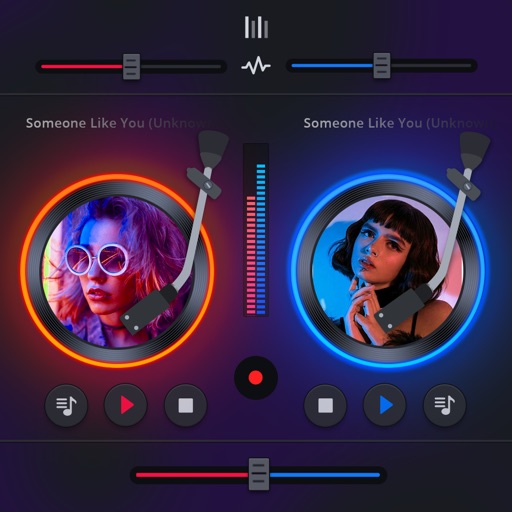
Manage playback with a 3D DJ interface featuring turntables and a 3-band EQ . Access a library to organize files and create custom mixes. Adjust volume and effects in real time during playback. Sync with external devices for live mixing.
Play files transferred from a computer to the built-in Music . Use section repeat, fast playback at 2x speed, slow playback at 0.5x speed, and 3-second rewind or forward controls. Supports mp3 files. Does not support DRM-protected content.
The app plays music downloaded from SONOCA and music already on the user's smartphone. Users can download and play video content, save files to iCloud, and transfer files to a PC.
Watch live TV, sports events, TV shows, and series. Stream local audio and video files. Support M3U, M3U8, Xtream Codes API, and links. Play content directly on iPhone devices.
Play audiobooks, track progress, bookmark chapters
Allows users to import audiobooks via browser or cloud services. Tracks playback progress and remembers last stopped position. Adjust playback speed and shorten silences. Syncs reading status across devices.
Play local audio files and stream from cloud storage services like Google Drive, Dropbox, and iCloud. Access from multiple devices offline or online. Upload and organize collection for streaming anywhere.
Play files from your device library. Organize songs into playlists, folders, albums, and artists. Import and play on Apple Watch . Supports multiple audio formats. Sync with CarPlay for in-car playback.
Listen to live radio stations UCB1 and UCB2 with customizable music and content. Access past interviews and news updates. Record messages for studio participation. Download podcasts and daily Bible readings.
Play videos in Full HD resolution. Support multiple formats. Includes a music . Allow users to adjust playback speed and subtitle options. Enable background playback. Sync with device storage for offline viewing.
Manage and play music with unlimited access to stored files. Sync and share music across devices via cloud or Wi-Fi. Create and organize playlists. Control playback with skip, repeat, and shuffle functions.
Download and play files stored in services like Dropbox, Google Drive, and OneDrive. Access playback after downloading albums or playlists. Create custom playlists combining files from multiple sources. Sync across devices.
Organize and play from cloud storage services like Google Drive or Dropbox. Download tracks for offline use. Create playlists by dragging tracks into folders. Separate tracks by albums or folders. Upload from PC or Mac via WiFi or cable.
The app plays music files like mp3, mp4, m4a, and wav. It offers background playback, playlist creation, lyrics display, and adjustable playback speed.
The app provides free access to urban Christian music on iPad and iPhone. It features a full music player with stations, playlists, and background audio without requiring a signup.
Browse the web with a built-in supporting multiple protocols. Download files with one click using supported protocols. Play HD videos in various formats with multiple decoding options. Stream high-quality music with advanced playback features.
Stream and download for playback. Create and customize playlists. Access a large library with various song versions. Search for songs, artists, and genres. Sync playlists across devices. Share with others.
Allows users to import videos from their photo library. It organizes videos by year and album for easy navigation. Users can mirror their device via AirPlay to view videos on a larger screen.
Play songs, queues, favorites, or playlists in shuffle mode. Access across devices. Create custom playlists. Set sleep timers for automatic pause. Enjoy high-quality audio. Listen to trending tracks. Control playback without interruptions.
The app allows users to download and access content like DVDs, videos, audiobooks, music, and ebooks. It provides access to both local and cloud-based content, tracking recently used items and syncing activities across devices.