Sync documents to the cloud for access anywhere. Share files with colleagues, clients, friends, and family. Stream music directly to iOS devices. View and collaborate on photos, videos, and documents.
Turn your iPhone into a wireless external . , copy, and backup files between devices over . Access files via any browser using a designated IP address. No additional software required. Sync files between iPhone and PC/Mac/Linux devices.
Convert files to PDF including , Word, Excel, Txt, and PPT. Merge multiple PDFs, lock or unlock files, and scan documents. Edit PDF content, rename files, share, print, and convert PDFs to .
Manage dictation workflows by sharing files between authors and transcribers in real time. Store and access files securely in the . Set up and customize workflows through an intuitive interface. Collaborate on transcriptions with role-based access.
Encrypts using advanced methods to protect sensitive information like notes, messages, emails, and cryptocurrency keys. Copy and paste between apps or save to files. Supports of passwords, seeds, and mnemonics.
Compress and decompress files in ZIP, RAR, 7Z, TAR, and other formats. Create and extract archives with a single tap. Organize files into folders and manage storage space efficiently. Share compressed files directly or save them to cloud storage.
Manage files by long-pressing icons to access a popup menu with options to copy, move, delete, unzip, or create folders. Access files remotely with a password or locally with a master passcode. Supports dark mode for improved visibility.
Hides photos, videos, and documents within a disguised . Users can encrypt files with bank-level security and access them via a password. Data is stored in a secure folder with private access controls.
Convert and audio files to iOS-compatible formats. Import files from Dropbox, OneDrive, Photos, and My Documents. Browse files in a folder-based structure. Convert media while preserving quality. Play converted files directly on iOS devices.
Securely store private and videos with a PIN passcode. Enable break-in alerts and use a fake passcode for security. Customize icons and recover lost files.
Manage files on iOS devices with support for over 40 types. View documents, play music, watch movies, and view photos. Record voice notes for interviews, meetings, or reminders. Transfer files to cloud storage or between devices.
Backup and access files from Windows or Mac devices. Automatically back up photos and videos to the cloud. View and manage stored documents, music, videos, and images. Upload media directly to the account.
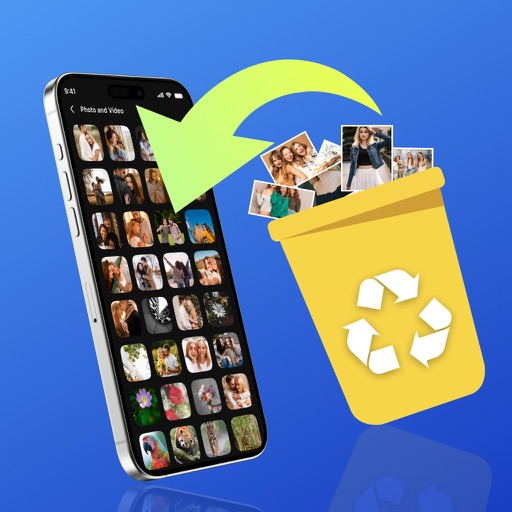
Organize photos by detecting and removing duplicates and similar images. Delete large files to free storage space. Manage contacts by removing duplicates, merging entries, and backing up data. Delete contacts with a single tap.
The app centralizes user files, including documents, video, and music. It offers file management, zip/unzip capabilities, and import/sharing options from various sources and to multiple destinations.