The app calculates a grading scale based on user input for maximum points and desired grade thresholds. It allows for unlimited, non-linear grading rules and real-time adjustments to achieve a target average grade.
by Bastian Roessler★ 0.00 ratingsEducation$4.99Data updated 2026-10-25
Access calendars and schedules for school events. View announcements and grade book results. Pay FACTS bills and track sports schedules. Receive updates and manage academic information.
Test general knowledge with multiple-choice questions to determine an accurate grade level. Track progress through level-based advancement. Compete on global leaderboards and share scores with friends. Learn new facts through gameplay.
Learn through video lessons, guided practice, and tests. Access background modules, diagnostic quizzes, and worksheets. Track progress with grade reports and review chapters or take a final exam.
The app helps develop pre-reading skills by recognizing common words by sight and sound. It is divided into four categories: Pre-primary, kindergarten, 1st grade, and 2nd grade, with a question mode for each.
Calculate final grades by inputting current scores and weight. Determine required score for a target grade. Adjust value and view calculated results instantly. Support for Retina displays and 64-bit devices.
The app helps teachers track assignment completion without a full grade book. It allows for simple scores, comments, graphs, and reports for accountability.
Calculate GPA by adding grades and credits with two taps. Remove grades by swiping or tapping. Clear all grades by holding. Track academic performance with simple, intuitive controls.
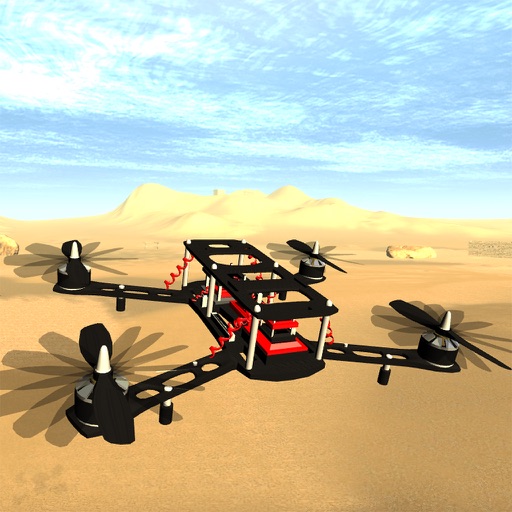
Pilot drones including micro quadcopters, hexacopters, and professional-grade models. Practice flying techniques, perform aerobatics, and navigate virtual environments. Adjust controls, monitor data, and save progress.
Access course materials, submit assignments, and participate in discussions. Track grades and attendance. View schedules and communicate with teachers and parents through messaging.
Access textbooks and teaching guides for KG to Grade 11. Download content for offline use. Includes "Little Genius" segment with environmental awareness content, SWM practices, and interactive activities.
Calculate semester and cumulative GPA using different grading scales. Track credits earned across semesters. View required grades to meet GPA goals. Create and manage weekly class schedules. Color-code courses for visualization.
Tracks attendance and sends reports on absences, leaves, and tardiness to parents. Notifies parents about news and homework assignments. Provides grade reports and allows teachers to manage class schedules and assignments digitally.
Access learning materials and take tests directly within the . Review lessons, practice exercises, and track progress. Offline access allows learning without internet.
Track academic performance by entering grades and assignments for multiple courses. Calculate overall course grades in real-time. Set custom grading scales. View grades with visual graphs and progress overviews.
Practice multiplication facts with instant feedback
Maths for second-grade/year-3 students focuses on small multiplication tables. Select a number range from 1 to 10. View and answer multiplication questions in random order. Confirm answers with a green button.
Offers access to academic courses and athletic programs for students K5-12th grade. Includes lesson plans, homework assignments, and progress tracking. Provides schedules, announcements, and communication tools for parents and students.