The app provides a virtual version of Tangent Wave's Element control panels. It allows users to control colour grading software from an iPad, ideal for on-set work or training.
by Tangent Wave Ltd.★ 4.65 ratingsPhoto & Video$7.99Data updated 2026-10-25
Design and test electronics projects in a virtual workspace. Simulate circuits using over 150 components and 1,000 reference boards. Adjust 3D models and view physics-based interactions. Export project data and share designs.
Create a one- by entering personal details like photo, name, job title, and contact info. Add modules for experience, skills, education, and projects. Export as PDF and share directly with employers.
Manage academic schedule by viewing class timetables and course information. Access grading details and update personal data. Navigate campus resources and communicate with faculty through integrated messaging.
Allows users to monitor and control C-more HMI devices in real time. View system status, adjust settings, and execute commands remotely. Connect to supported panels for live data and control functions.
The app enables users to send digital gifts like images and gift cards. Recipients can unwrap these gifts on their mobile devices, and their reactions can be recorded and shared within the network.
The app provides 2D vector drawing and design for iPad and iPhone. It offers unique offset controls for precise finger-based editing and supports iCloud synchronization with its Mac version.
Edit photos with advanced filters, manual color grading, and adjustment tools. Crop, rotate, and apply effects. Export in various formats and share directly.
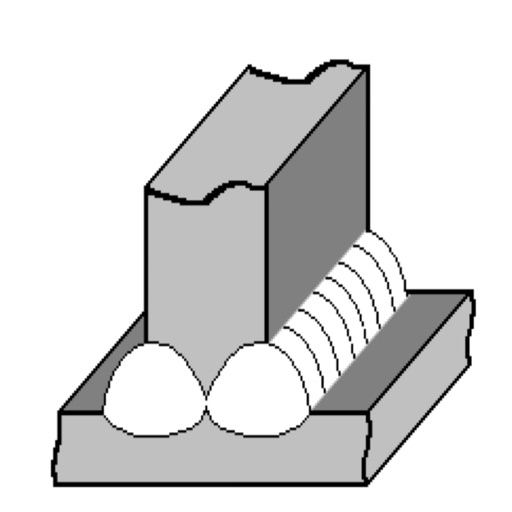
The app helps users understand welder qualification rules according to EN 287-1. It allows users to check welder suitability for specific welding tasks and displays comments and sketches.
Create art using AI to generate images in various styles. Combine generated artworks into collages. Edit photos with tools for adding text, removing backgrounds, and organizing multiple results. Share edited images directly.
Convert PDF files to editable spreadsheets while preserving text, layout, fonts, and tables. Edit and calculate data in the resulting .xlsx files. Open converted files in compatible mobile office apps like Microsoft or WPS.
Simulate photography with a variety of classic cameras including instant, CCD, disposable, toy, and slide projectors. Apply -like effects and filters. Capture photos with randomized outcomes. Share images directly or export in multiple formats.
Write screenplays with automatic industry formatting for scenes, characters, and dialogue. Navigate through scripts with customizable tools. Use optional AI assistance to refine writing. Export in multiple formats and share directly.