

Apps Like MultitrackStudio for iPad for iPhone and iPad
Record edit and mix music tracks
The app transforms an iPad into a multitrack music recording studio for audio and MIDI. Users can record, edit, and mix tracks with various editors and effects.
MultitrackStudio for iPad screenshots
Ranked alternatives
Showing 121–140 of 1,000 ranked alternatives.
AUFX:Space
Kymatica AB
Real time reverb audio effect app
The app provides a real-time reverb audio effect with a 32-bit DSP engine. It allows users to adjust numerous parameters for diverse sounds and includes built-in resonant filters.

StaffPad
StaffPad Ltd
Write, edit, and play music notation
Compose music with Apple Pencil, converting handwritten notation into typeset scores. Edit, play back, print, and share scores. Record or import audio and edit it with Apple Pencil.
Piano - Play any song & sheets
T.V CO., LTD
Notes and practice chords
Import music sheet files to and learn favorite songs. Use an 88-key simulator to practice. Receive guidance through tutorials. Track progress and refine playing techniques.

strng
erik sigth
Play, tune, and shape string sounds
Create and manipulate string-like sounds using physical modeling synthesis. Adjust string tension and delay settings for tone shaping. Play with a 25-key keyboard or MIDI controller. Apply stereo delay and filter effects to modify sound output.

Simple Music - amazing chords creation keyboard app with free piano, guitar, pad sounds, and midi
Keynote Star Inc
Visually and easily play music.
The app provides a novel arrangement of notes for playing music. Sliding a finger produces chords, with higher importance notes and chords surrounding them.

iDousyn
Jorge Lozada
Premium sampler synthesizer for music production
The app transforms an iPhone and iPad into a premium sampler and synthesizer for music production. It offers a dual-layer rompler engine and a touch-optimized workflow for creating studio-quality music anywhere.
Galileo Organ 2
Yonac Inc.
Model organs with AUv3 plugin
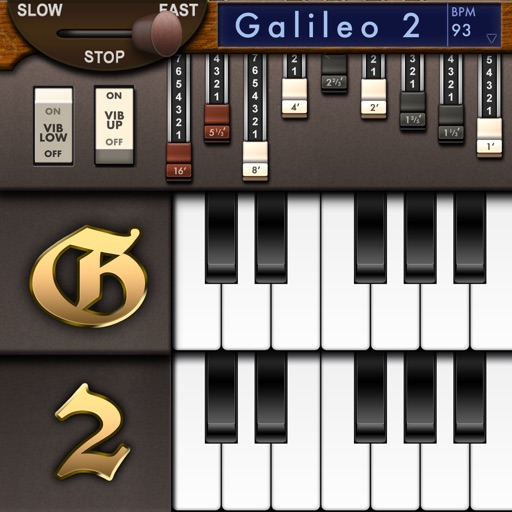
Create and customize sounds with 17 different types. Configure three manuals independently. Use scanner vibrato and chorus effects. Simulate rotary cabinets and tube amplifiers. Access AUv3 plugin for integration.


Riffer
AUDIOMODERN EOOD
Generate random melodies
Create and customize MIDI sequences with scale selection, complexity settings, and step controls. Generate random patterns and melodies. Adjust pitch, transpose, and set playback motion. Export patterns or use Infinity mode for continuous generation.

Symphony – Music Notation
Xenon Labs, LLC
Create sheet and compose scores
Create and edit musical scores with multi-staff and multi-voice editors. Add notes and chords using the Pencil tool. Transpose sections with vertical drag. Use On-Screen piano for quick composition. Select and adjust elements with the Select tool.

shapesynth
erik sigth
Draw waveforms, shape sounds
Create and shape oscillator waveforms by drawing with 32 blocks. Generate retro sounds using mirrored halves. Interpolate between 16 oscillator pages. Apply effects like arpeggio, stereo delay, and resonant filter. Record sounds on a tape interface.

MIDI Score
Jun Koo Hea
Convert MIDI files to sheet music.
The app converts MIDI files into synchronized sheet music. It supports multiple clefs and offers song management features, including downloads and iCloud synchronization.



GliderVerb
ConTempoNet S.A.S. di Maurizio Refice & C.
Adjust parameters and shape sound
Allows users to apply reverberation effects with adjustable parameters. It supports Audiobus and Inter- Audio as both sender and effect. Users can create evolving reverberations, granular disintegration, and smooth resonances.
sir Sampleton
Paul Slocum
Record sounds, play back with piano keys
Record sounds via microphone and play them on dual piano keyboards with a rhythm machine. Create complex musical arrangements using voice, instrument, and environmental samples. Export and share audio files. Supports Audiobus and MIDI connectivity.

Rock Drum Machine
Lumbeat Ltd.
Jam with sliders and rhythms
Turn your iPhone or iPad into a with sounds and rhythm patterns. Adjust jam level and intensity using a 2D slider. Play live sessions with 8 assignable pads and buttons for fills, intros, and endings.
How we rank alternatives
Apps are ranked by functional similarity, category fit, rating confidence, and popularity.