Control music playback with your iPhone, iPad, or Apple Watch. Adjust volume, skip tracks, and manage playlists. Access additional playback features via in- purchase. Sync with Squeezebox Server or Roon Server.
by Du!Business GmbH★ 4.71,018 ratingsMusic$8.99Data updated 2026-10-04
Control your smart TV remotely via smartphone or tablet. Adjust volume, change channels, and navigate menus using a virtual . Type with device keyboard for faster input. Use touchpad navigation for precise control.
Play audiobooks, track progress, bookmark chapters
Allows users to import audiobooks via browser or cloud services. Tracks playback progress and remembers last stopped position. Adjust playback speed and shorten silences. Syncs reading status across devices.
Control compatible and Elite devices to play music in individual or all rooms. Adjust volume, select input sources, and manage playback settings. View device status and access playlists directly from the .
Import via Wi-Fi, Dropbox, or file manager. Play supported audio formats including MP3, FLAC, and AAC. Create custom playlists. Enable background playback and set a sleep timer.
The app plays mp3, m4a, flac, and wav files without iTunes sync. Users can transfer music files via Wi-Fi and use features like Airplay, Chromecast, and bookmarking songs.
Control playback and manage playlists for supported media players. View song information, lyrics, and cover art. Connect to a Windows PC via WiFi. Adjust volume and navigate tracks remotely.
Play MP3 files from local storage. Create and manage playlists with songs, artists, and albums. Adjust equalizer settings for bass boost, reverb, and other audio enhancements. Control playback with next, previous, and shuffle functions.
Music allows playback of songs, quick song searches, custom playlist creation, and favorite track marking. Video editor enables playback control with slow motion, speed adjustment, and reversal.
Play audio files at adjustable speeds from 0.5X to 2.5X with precise control. Access study mode for A/B repeat and quick rewinding. Set a sleep timer to automate playback shutdown. Control playback remotely and manage multitasking.
Control system with simplified navigation for common tasks. Manage zones and music sources. Adjust settings for backward compatibility with S1 firmware and iOS15 devices. Streamline playback controls and system management.
Create and practice guitar or bass rhythms with loops in funk, rock, reggae, and blues styles. Adjust playback speed for tempo matching. Loop continuously for uninterrupted practice.
The app provides music playback for car stereos with gesture controls for playback and playlist navigation. It supports landscape orientation and allows users to change the color scheme.
Watch live TV channels and on-demand content. Browse categories and search for shows. Set playback speed and subtitle options. Manage playlists and schedule recordings. Support multiple device connections.
Listen to from over 90 channels across various genres like Pop, Rock, and Smooth Jazz. Each channel is curated by a dedicated manager. Stream globally and access favorite styles anytime.
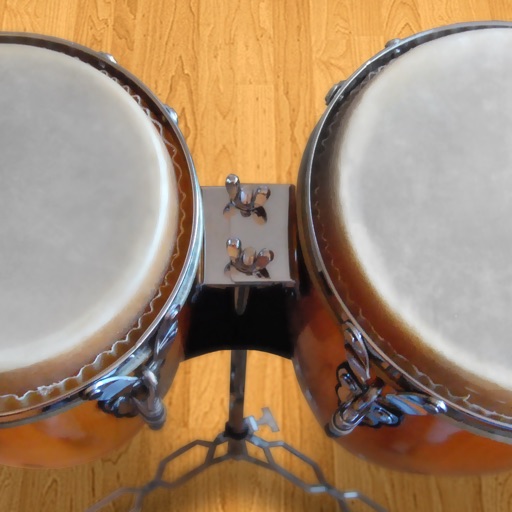
Play conga drums with 18 professionally recorded and mastered sound samples. Include cowbell and sticks for additional percussion. Adjust playing with no latency. Optimized for iPhone and iPad speakers and headphones.
Play files from your device library. Organize songs into playlists, folders, albums, and artists. Import and play on Apple Watch . Supports multiple audio formats. Sync with CarPlay for in-car playback.
Play music files in formats like MP3, M4A, FLAC, and WAV. Import files directly without iTunes sync. Transfer music via local Wi-Fi. Cast to AirPlay or Google Cast. Bookmark favorite songs with the heart function. Shuffle all music.
Control VLC media player from a mobile device. Adjust volume, play/pause, skip tracks, and navigate menus. Sync with Mac or PC to manage playback remotely. Customize shortcuts for quick access to frequently used functions.