Create and analyze mathematical functions with interactive graphing. Manipulate equations, zoom, and pan graphs. Access a clean interface with logically placed tools. View detailed error messages and scroll through results without navigation clutter.
Solve problems with step-by-step explanations. Input equations via camera or text. Access solutions for algebra, calculus, and graphing. Subscribe for unlimited help and automatic renewals.
The app offers a scientific calculator with complex number support and programmable keys. It includes graphing capabilities for up to nine equations, vector and matrix calculations, and a unit converter for various measurements.
Allows users to perform complex calculations with a natural equation entry system. It supports split screen, wireless keyboards, and Apple Watch integration. The displays full equations in real time and offers dark mode for enhanced readability.
Solve equations and graph functions with advanced math support. Perform calculus operations and matrix calculations. Customize settings for precision. Access detailed tutorials and a comprehensive user manual.
Solve problems step-by-step using text input or camera capture. Support equation solving, factoring, logarithms, exponents, complex numbers, quadratic equations, trigonometry, partial fractions, and polynomial division.
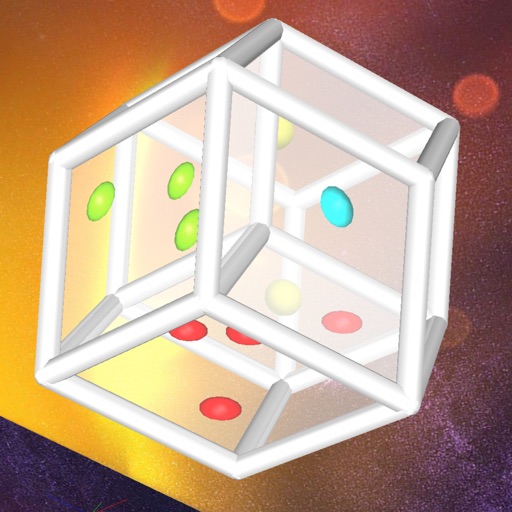
Explore 4D hypercube faces with multitouch controls
Explore a 4-dimensional hypercube with multitouch controls. View up to four cube-shaped faces at once. Rotate and roll the die to reveal different faces. Interactively navigate the 4D structure to see hidden faces.
Solve problems by typing or snapping a photo. Get step-by-step solutions for pre-algebra, calculus, trigonometry, and more. Calculate derivatives, integrals, equations, and fractions. Graph functions and analyze results.
The app allows users to create and modify cubic Bézier curves with up to four connected segments. It displays the convex hull and a C1 continuity hint for segment connections.
Take a photo of a problem to get step-by-step solutions. View AI-animated videos to understand concepts. Solve equations, simplify expressions, and check homework. Access instant explanations and interactive examples.
Solve equations, perform algebraic calculations, and graph functions. Support for multiple models including TI-83, TI-84, TI-89, Casio FX, and Sharp EL. Includes a scientific , fraction simplifier, and unit converter.
Solve problems with step-by-step solutions. Input equations for automatic solving and animated explanations. Access over 1,000 sample problems. Use scientific and graphing calculators. Track progress and review detailed solutions.
Solve equations by photo or manual input. Provide step-by-step explanations for and calculus problems. Offer accurate solutions and teach mathematical concepts for self-guided learning.
Solve problems with step-by-step explanations. Generate 2-D and 3-D visualizations. Perform algebra, calculus, and integration calculations. Take a picture of equations for input. Export solutions and graphs.
Solve math problems with natural textbook input and fraction support. Trace graphs with touch. Zoom using pinch gestures. Tap for regression analysis. Swipe to scroll through calculation history and matrices. Access help via the ? key.