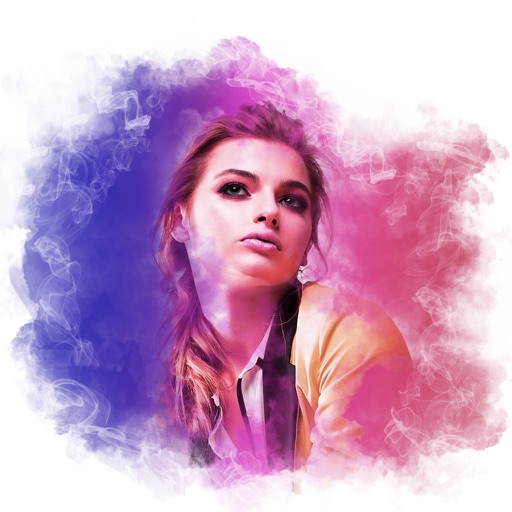
The app adds painting effects to photos, transforming them into various gorgeous effects. It offers 23 effect filters and 3 paint modes with an easy and simple interface.
by nedis★ 3.52 ratingsProductivityFreeData updated 2026-10-24
Edit photos with blur background settings, shattering effects, and color frames. Add overlays and crop, rotate, or flip images. Import from gallery or camera, and share edited photos to social media.
Apply glow effects to photos with adjustable filters. Add customizable light trails and neon highlights. Share edited images directly to social media or messaging apps. Adjust brightness and color temperature for enhanced visuals.
Create social media content by selecting from hundreds of . Import images or videos to customize designs. Add text, graphics, and effects to enhance visuals. Export and share content directly to social platforms.
Create handwritten notes and drawings with customizable brushes and erasers. Use vector tools for precise shapes and annotations. Add text, highlights, and special line effects. Save and organize digital sketches and journal entries.
Combine photos into framed and captioned layouts. Add text and filters to enhance visuals. Share directly to Instagram. Arrange images with creative and decorative effects.
Edit text with customizable , colors, and styles. Add stickers and emojis. Share content directly to social media platforms. Personalize layout and themes. Adjust text spacing and alignment. Export text as images or copy text for use elsewhere.
Create digital art with natural brush strokes and realistic paper textures. Use 40+ brush presets for detailed painting. Edit images with color adjustments, liquify tools, and cropping. Apply layers and blend modes for advanced compositing.
Create automations by connecting apps and services. Trigger actions based on specific conditions. Receive notifications and use location-based features. Access widgets for quick task management. Sync with smart devices and other platforms.
Edit photos with AI filters, text overlays, and background removal. Generate images from text descriptions. Create future baby visuals by uploading photos. Apply AI filter packs for artistic effects. Save and share edited photos directly.
Record videos with manual controls for focus, exposure, and stabilization. Edit clips with trimming, transitions, and effects. Add text, music, and filters. Share directly to social media or save in high resolution.
HC MAKER - PHOTO LOGO BACKGROUND EDITOR APPS FOR FREE
Apply filters and share photos
Edit photos by importing or taking a picture, then applying curated filters designed by professional photographers. Save edited images and share them directly. Access a library of free images for inspiration.
Create videos using photos from the camera roll. Set project titles and import images. Arrange photo order, select templates, add music, apply filters and effects. Choose format and export the final project.
With Hi-Def, Scenery, Food, Portrait, and Night effects. Adjust saturation, warmth, tint, and fade. Crop, rotate, and straighten images. Draw, add text, and create memes. Use Focus or Vignette to highlight subjects.
Capture photos with manual exposure and focus controls, RAW and TIFF support, and real-time adjustments. Edit images with advanced tools, apply effects, and export in high-quality formats. Share photos directly from the .
Remind users of events, meetings, birthdays, TV show premieres, and appointments. Customize date, time, font, icon, alert sound, and background. Share event details via email, messaging, or social media.
The app allows users to customize iPhone, iPhone X, or iPad wallpapers with a blur effect. Users can apply the effect to included wallpapers or their own photographs and draw on images with included brushes.
Access a collection of over 200 humorous and MLG sounds. Play, record, and share sounds directly. Includes and Digi Sounds. Features a variety of and popular audio clips for daily use.