The app helps users clean up Final Cut Pro X libraries, projects, and events. It provides an easy method for deleting unneeded files before archiving, including render, proxy, and optical flow files.
by Helge Tjelta★ 0.00 ratingsPhoto & VideoFreeData updated 2026-10-23
Convert video files to QuickTime formats including H.264 and ProRes. Supports AVCHD, MTS, m2ts, and Blu-ray conversion. Edit timelines with in and out points. Convert single files or use batch processing for multiple movies.
Real-time with customizable effects and export options. Users can import from playlists or files, select from four visual packages with eight visuals each, and adjust settings for each visual. Export visuals and share on social media.
Up phone storage by deleting duplicate photos, contacts, and other files. Secure photos in a hidden folder. Choose from multiple battery animations. Manage storage with AI-powered cleanup and organization tools.
Organize photos and videos with smart media sorting to categorize content automatically. Identify and group duplicates for easier management. Store private media in a password-protected hidden album.
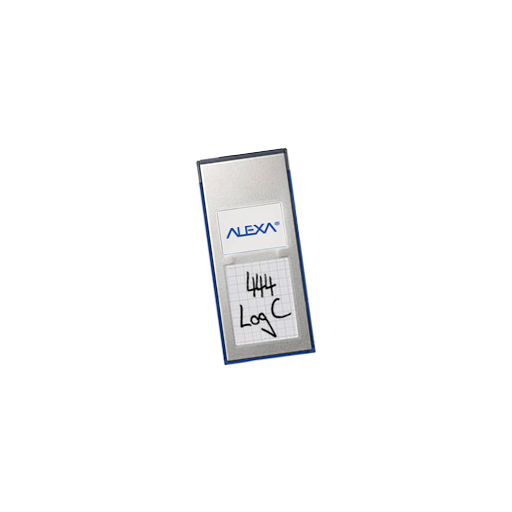
The app displays metadata from Alexa ProRes Quicktime files in a searchable list. All imported metadata is stored in a database for later access without re-reading clips.
Manage videos with folder organization and drag-and-drop sorting. Adjust playback speed and create playlists. Enable background playback. Export videos to Photos and file manager.
Stream or download music from Dropbox, OneDrive, and Google Drive for offline playback. Create and sync cloud playlists. Support lossless FLAC and ALAC formats. Enable gapless playback. Backup and sync playlists across devices.
Organize iPhone storage by deleting duplicate photos, removing screenshots and bad shots, and cleaning up large or old videos. Compress videos to save space. Hide private photos in a password-protected folder. Merge contacts and free up device space.
The app opens, views, and extracts images from abr, tpl, and pat files. It supports all versions of these file formats and allows exporting selected images to various locations.
Create 3D pixel art and voxel art using a full-featured voxel editor and pixel art editor. Use dozens of tools and brushes for block building, including pencil, bucket fill, and magic. Share creations via photos and videos.
Scans for duplicates, large files, and unused apps. Users can delete, move, or compress files. Organizes photos by date, size, or type. Caches data and clears system logs. Optimizes performance by managing and background processes.
Allows users to browse internal storage and network-attached storage. It supports operations like open, copy, paste, and search. Users can view counts and storage usage. It integrates with iCloud for management.
Organize photo strips into folders. Add notes to each memory. Import photos from gallery or files. Features minimalist design with no distractions. Store and manage photo booth pictures in one place.
Identifies and removes duplicate and similar photos to free up storage space. It scans photos, videos, and contacts directly on the device. Users can delete unnecessary files and organize their media library.
Manage video and image assets with precise scrolling, zooming, and scrubbing. Add comments and annotations directly. Collaborate in real-time with teams and clients. Customize asset views and share feedback instantly.