Apps Like PicFrame - Photo Collage for iPhone and iPad
Stitch photos and share online
Stitch multiple photos into a single image. Share the result on Facebook, Twitter, and Tumblr. Adjust alignment and spacing between images. Export in various formats.
by 益 李★ 4.71,360 ratingsPhoto & VideoFreeData updated 2026-09-08
Create collages with 106 adjustable layouts and 31 irregular designs. Choose from 18 frames and 36 backgrounds. Customize borders with color and shape. Edit photos using a built-in PRO editor.
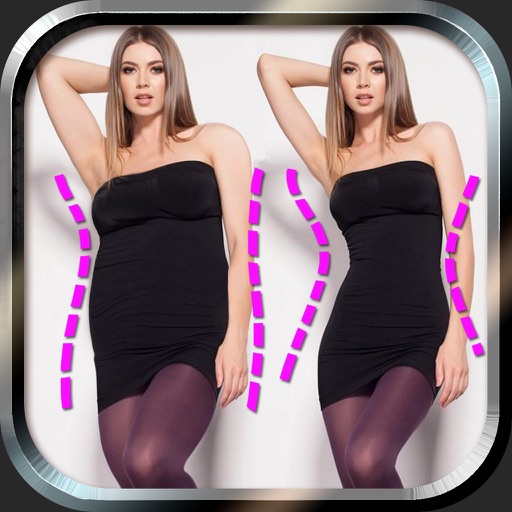
Edit photos to and body using auto-detection. Adjust and body thickness with sliders. manual edits and undo changes. Compare original and edited images. Save results to albums and share via email or social media.
Create collages using hundreds of templates. Arrange images in custom layouts. Add text, stickers, and effects. Export and share directly to Instagram. Design carousels with seamless transitions. Edit photos with cropping and filters.
Edit photos with filters, light overlays, and aesthetic design elements. Crop, resize, and add borders or shapes. Create collages with multiple layout templates. Include stickers and share edited images on Instagram or Facebook.
Create collages using 10000+ free layouts, effects, stickers, fonts, and backgrounds. Edit photos with cropping, filters, and text tools. Save and share collages as images or stories.
Create collages by adding photo grids, frames, and filters. Apply effects like sepia and retro. Add stickers and text. Share collages via messengers and social networks. Edit photos with built-in frames and layouts.
Pic allows users to divide their camera view into sections using various free layouts. They can take photos or import images from the Camera Roll and arrange them in different orders.
Create collages by selecting images from the library. Automatically generate and arrange layouts without manual cropping or resizing. Shuffle image order as needed before finalizing the .
Create collages by combining multiple photos. Add romantic and text. Share collages via social media or messaging. Customize layouts and edit images within the .
Create collages by merging up to 20 photos with frames, stickers, and text. Adjust borders, add pattern backgrounds, and use shapes for flyers and posters. Share creations on Facebook, Instagram, and other social media.
Create collages with single or multiple photos, up to 14 images. Add , backgrounds, and drawings. Share collages on Facebook, Instagram, Twitter, WhatsApp, and other platforms. Edit photos with basic tools and apply templates.
Photos with custom intensity and size settings. Zoom and pan for precise editing. Share edited images via Facebook, Twitter, Instagram, or email. Undo and redo changes.
Create collages by combining multiple photos using various frame patterns and grid layouts. Apply over 1100 design styles to individual images or collages. Share finished creations directly from the .
Edit photos with enhancement tools, effects, and color splash. Add stickers, frames, and overlays. Create collages and custom drawings. Crop, rotate, flip, and straighten images. Adjust brightness, contrast, and saturation.
Create art by combining and decorating images. Add , speech balloons, background colors, and filters. Save custom designs as templates. Share via Facebook, Instagram, Twitter, Flickr, Picasa, Tumblr, email, and messengers.
Add , captions, and quotes to or artworks. Apply filters and blur effects. Share directly to Instagram, Facebook, Twitter, Tumblr, or blogs. Create and save custom graphics for social media.
Edit photos with filters, cropping, and brightness adjustments. Create collages and custom cards with design tools. Add text, stickers, and backgrounds. Export edited photos in various formats and share directly.
Create collages with 20000+ layouts and effects. Add stickers and text to photos. Edit images with cropping and filters. Make videos with carousel and slideshow options. Share directly to Instagram.
Record screen to create scrollshots without taking multiple screenshots. Stitch screenshots together to view long content. Edit and annotate stitched images. Share or save final compositions.