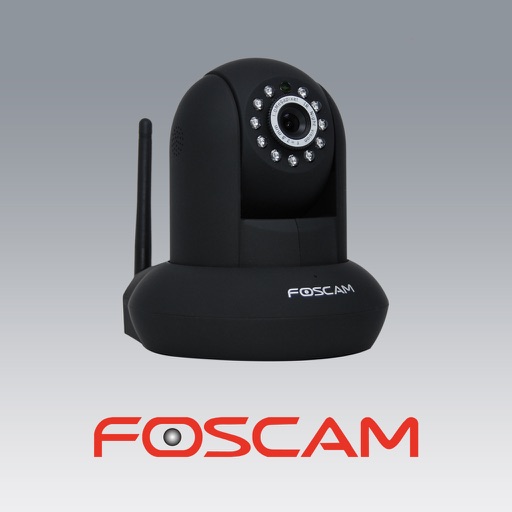
The app allows users to view and control Foscam IP cameras from an iPhone or iPad. Users can watch their home, kids, and pets remotely with a 3G or WiFi connection.
Setup trail cameras via Bluetooth. View live video to confirm installation. Adjust camera settings remotely. Browse photos and videos stored on the device. Download media to smartphone gallery for sharing.
View real-time video from homes, shops, and outdoor scenes remotely. Play back cloud and SD card recordings. Use two-way voice intercom for real-time communication. Receive alerts for abnormal activity. Control PTZ cameras for real-time monitoring.
Record activities, track health, manage smart devices
Manage smart home devices with remote control and automation. Monitor health by tracking daily activities and fitness goals. Access new products and updates. Create custom scenes for automated device interactions.
Monitor and control IP cameras and HDCVI DVR/NVR systems remotely. live and recorded footage, adjust camera settings, and receive motion alerts. Manage multiple devices and access recordings from anywhere.
View live HD video from IP cameras on iPhone or iPad. Scan QR code and enter password to access cameras. Record video to handheld devices. Monitor home, pets, or office remotely.
Monitor and control camera settings remotely via smartphone. View live preview from compatible camera. Upload photos and videos to social media platforms. Adjust focus, exposure, and other shooting parameters.
The app allows users to control security systems remotely, manage user access, and view live video streams from multiple locations. It provides alerts for various events, including sensor activation, motion detection, and environmental changes.
Connect motion cameras for real-time preview and parameter control. Download images and videos quickly. Edit photos and videos with filters, cropping, and music addition. Share, like, comment, and collect content within a community.
View live from up to 16 cameras simultaneously. Access recorded footage and save videos to your device. Create shortcuts for frequently used cameras. Share saved videos directly.
View real-time HD video from cloud cameras and access video history. Receive alerts for abnormal activity. Control camera direction remotely via touch screen.
Record videos using front and rear cameras with Switch Cam Mode. Capture feeds in Screen Mode. Use PIP Mode for picture-in-picture video playback. Edit and share recorded content directly.
View and replay videos from M8 or M7 Wi-Fi cams. Access recorded footage anytime. Store and organize road trips and incidents. Share videos directly from the . Sync with compatible cams for instant access to footage.
Control dash cam settings via WIFI. Download and edit videos. Share videos directly from the . View real-time footage and manage storage remotely. Adjust recording modes and notification preferences.
Guangdong Wankezi Intelligent Control Technology Co.,Ltd.
Remote control for home devices
Remote control allows users to manage home appliances from any location. Multiple devices can be controlled simultaneously through a single interface. A timer feature enables scheduled execution of tasks.
Monitor , baby, pets, or office with real-time video streaming. Control pan and tilt movements remotely. Use infrared night vision for low-light visibility. Communicate via built-in two-way audio. Connect to Wi-Fi and power source for instant setup.
Monitor live streams from connected security cameras. View and manage recorded footage. Answer doorbells and use two-way audio. Receive motion detection alerts. Control cameras remotely from anywhere.
Access devices via touch and voice commands. Control lights, music, climate, security, and doorbells. View a customizable high-resolution display. Use Alexa for voice interactions. Pair with Control hardware for full automation.