Apps Like Slow Shutter Fast Cam for iPhone and iPad
Create beautiful unique photos easily.
The app provides slow shutter control and a full set of effects and filters. It includes capture modes, adjustable shutter speed, a self-timer, and freeze and contrast controls.
by INITED Solutions s.r.o.★ 3.8533 ratingsPhoto & VideoFreeData updated 2026-10-22
Digital fundamentals through 15 interactive lessons and activities. Use shutter speed, ISO, and aperture calculators to adjust settings. Explore animated camera models to understand or mirrorless functions.
Control camera remotely, preview live feed, capture
Control camera settings remotely using two iPhones, one as camera and one as remote. View live previews in real time. Capture photos, videos, and timelapses. Adjust flash, focus, exposure, zoom, timer, ISO, shutter speed, and white balance manually.
Edit photos with analog filters and real-time presets. Adjust brightness, contrast, and saturation. Add text, stickers, and borders. Share directly or save in multiple formats. Apply retro styles for nostalgic effects.
Edit photos with 23 tools including manual adjustments for ISO, shutter speed, and focus. Apply 80 presets and textures. Use built-in camera for manual settings. Export edited images directly. Share photos through integrated sharing options.
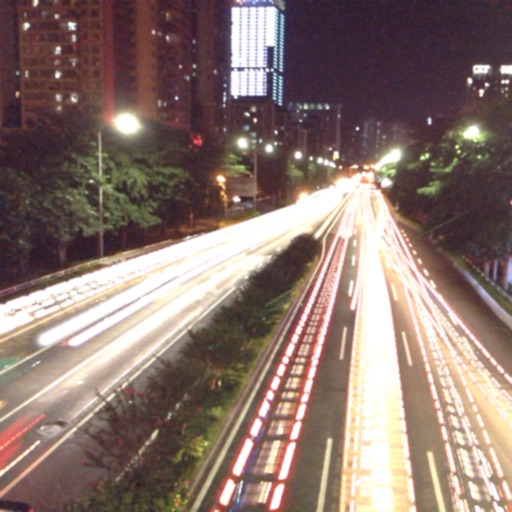
The app captures photos using slow shutter speed effects to create light trails and streams. Users can control exposure time and focus for motion blur photography.
Allows manual adjustment of exposure, focus, shutter speed, and ISO. It offers a minimalist interface with an option to hide controls for mirroring. Users can the via AirPlay to devices like Apple TV or software receivers.
Capture still images and long exposure photos with manual focus and exposure control. Adjust white balance, shutter speed, and aperture. Save and share high-resolution images directly.
Record video with manual focus, shutter speed, ISO, and white balance settings. Capture in customizable resolutions, frame rates, and color spaces. Sync multi-cam sessions across up to four devices.
RAW+ allows exposure with on-screen shutter and ISO sliders. Supports RAW and ProRAW formats. Enables focus and custom white balance. Offers advanced settings for toggling features. Includes a free trial of five shots before requiring a purchase.
Create cinematic videos with frame rate, shutter angle, and white balance adjustments. Record in professional formats. Import and edit footage on iPhone or iPad. Sync with Design cameras for advanced control. Export high-quality video files.
Capture photos with manual controls for ISO, shutter speed, and flash settings. Apply authentic tones and grain. Export images in high-quality formats. Adjust exposure and focus manually. Share photos directly from the .
Take photos using an analog interface with flash and shutter controls. Capture indoor images by pressing the flash button and holding it while taking the shot. Share photos with the # hashtag.
Transfer photos and videos from compatible cameras to smartphones via Wi-Fi. View live feed to control settings remotely. Access location data and to services for additional features.
The app offers a full set of camera features for various skill levels. It includes video recording, slow shutter modes, and folder organization for managing photos.
The app offers manual and automatic modes for adjusting shutter speed and exposure. It includes a light trail mode for creative effects and a self-timer for capturing shots.
Calculate time and shutter speed for neutral density filters. Set countdown timers for exposures 10 seconds or longer. Supports up to 24-stops of ND filter. Compatible with iPhone, iPad, and iPod touch.