Apps Like Superimpose+:Background Eraser for iPhone and iPad
Remove background in one tap
Remove photo backgrounds with one tap using automatic analysis or manual tracing. Overlay multiple images with transparency options. Adjust and export edited photos directly.
by KALEIDOSCOPE Inc.★ 4.811,870 ratingsPhoto & VideoFreeData updated 2026-09-08
Remove unwanted parts of photos using precise erasing tools. Change backgrounds with the feature. Undo actions or restore previous edits. Zoom for detailed adjustments and blur edges. Save and share edited images directly.
Remove backgrounds from photos and save as PNG or JPG formats. Edit images directly from the camera or gallery. Export transparencies for use in presentations, blogs, or stickers. No internet required.
, people, watermarks, and blemishes from photos with a tap. Use a smart to precisely delete elements without altering the background. Adjust edges and refine details for clean, seamless edits. Export edited images in high quality.
Perform one-click matting for intelligent background removal and hair-level precision. Use smart daubing to eliminate unwanted objects. Manually adjust matting with custom brush or eraser tools. Export edited images directly.
Remove backgrounds from photos with AI-powered detection. Select transparent, white, or custom backgrounds. Edit images by removing people, faces, products, animals, text, and objects. Export edited images in various formats.
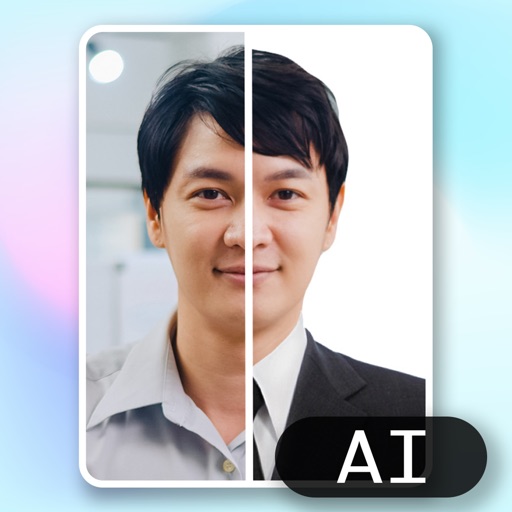
Create ID photos using AI to remove backgrounds and add formal clothing. Edit images directly on your phone simple tools. Save and share the final result.
Edit photos with text effects and auto background changes. Add customizable signs and text. Adjust brightness and contrast. Save and share edited images directly.
Edit photos with AI-based enhancements, sharpening, and colorization. Remove backgrounds and extend images automatically. Generate edited versions and create professional headshots. Estimate age and restore old black-and-white photos.
Create AI images from text or photos using Google Gemini. Edit photos with advanced tools. Generate headshots, avatars, and professional images. Export in high resolution and share directly.
Remove backgrounds from images by drawing a closed curve. Automatically erase similar color areas for transparent results. Adjust brush size for precise edits. Pan, zoom, and rotate images.
Edit photos with AI-powered background removal and replacement. Generate realistic images from text. Use advanced tools like layers, masking, and cloning for detailed edits. Export and share edited photos directly.