Create and customize drum rhythms with real recorded drum sounds from the Paul Rennick 2012 Santa Clara Vanguard. Play along with pre-recorded drum lines, practice timing, and edit beats. Adjust time signatures and share compositions.
by Nicholas Wheeler★ 4.6275 ratingsMusic$14.99Data updated 2026-10-19
Create and edit music tracks using a wide range of drum and percussion sounds. Adjust rhythms and beats with an improved jamming algorithm. Export finished projects in multiple formats and share directly.
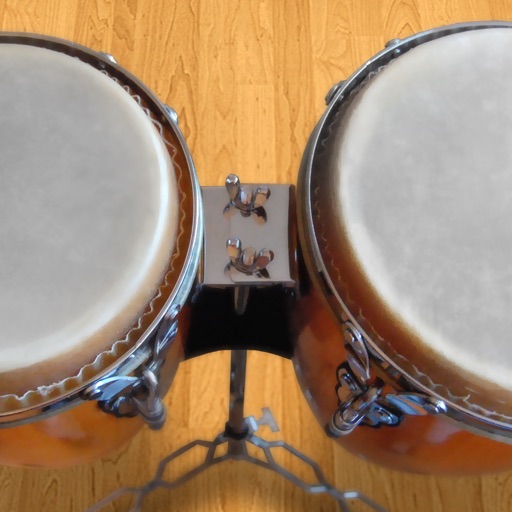
Play conga drums with 18 professionally recorded and mastered sound samples. Include cowbell and sticks for additional percussion. Adjust playing with no latency. Optimized for iPhone and iPad speakers and headphones.
Play and learn percussion with virtual and bongos. Tap to strike drums, adjust volume, and follow video lessons. Access loops in various music styles to practice and play along. Track progress and replay lessons for improvement.
Create and save multi-track music projects on iPad, iPhone, or Mac. Record and import audio tracks, browse samples with previews, apply effects, and use high-quality synthesizers and drum kits. Edit, mix, and render complete songs.
Track beats per minute with precise accuracy. Adjust tempo and volume. Set custom rhythms and save patterns. Sync with instruments via MIDI. View real-time BPM counter and practice timing exercises.
Create and edit sheet music by tapping keys with notation. Add, delete, or reorder parts. Change keys for individual parts. Support up to 8 parts. Include over 100 instruments and various music symbols. Suitable for both beginners and professionals.
Create and edit using a virtual piano keyboard. Export and import MusicXML files for compatibility with other software. Compose simple piano pieces or complex symphonies. View and adjust musical scores with a user-friendly interface.
Play along with pre-recorded drum loops from Jazz to Rock. Practice with a virtual drummer that adjusts tempo and swing. Use the smart metronome with clave and swing regulator features.
Turn your iPhone or iPad into a with sounds and rhythm patterns. Adjust jam level and intensity using a 2D slider. Play live sessions with 8 assignable pads and buttons for fills, intros, and endings.
Create and play with real instruments including pianos, guitars, oud, synths, and strings. Access 1,000+ multi-sampled sounds with effects and smart scripts. Use global styles and rhythms with dynamic drum kits.
Access drum corps schedules, competition results, and team information. View past and upcoming events with real-time score updates. Follow favorite corps and receive notifications for new content.
Create and play drum patterns using touch-based percussion instruments. Adjust tempo and volume. Record and replay performances. Export audio files. Sync with other devices for collaborative sessions.
Play virtual with realistic touch response and pitch variation. Adjust drum kit settings and choose from multiple drum patterns. Record performances and share drumming sessions directly.
Create and edit musical scores with multi-staff and multi-voice editors. Add notes and chords using the Pencil tool. Transpose sections with vertical drag. Use On-Screen piano for quick composition. Select and adjust elements with the Select tool.
Create and customize using 20 musical scales and 12 key signatures. Adjust 7 octave ranges and use 3-finger controls for playback. Share or save creations. Generate original tracks or follow pre-made examples.
The app allows users to compose music scores with various symbols and multiple tracks. It supports different instruments, transposing instruments, and playback.
Play and learn musical instruments with virtual tabs, , , and . Access songs from your music library to maintain rhythm. Adjust tuning for accuracy. Create custom beats using an MP3 player. Sync with Apple Health for progress tracking.