Send pictures and movies to friends with customizable edits. Add filters, music, text, or effects to images and videos. Share directly via social media or messaging apps.
by 7th Gear★ 5.01 ratingsEntertainmentFreeData updated 2026-09-08
The app allows users to create movies, slideshows, and presentations using photos, videos, and music. It supports various output resolutions and offers features like transition effects, text overlays, and animation.
Discover and content with friends. Rate and discuss movies, TV shows, music, video games, podcasts, and books. Write reviews, follow friends, and explore trending items. Join communities and engage in debates.
Edit photos with filters, frames, and collage templates. Add effects and select from various photo types. Create collages by choosing images and applying pre-designed layouts. Export and share the final edited photo.
Photos by flipping horizontally or vertically. Create reflections and repeating patterns. Apply effects and frames. Design collages with multiple layouts. Export and share edited images.
Change pitch and tone with adjustable sliders. Apply sound effects and filters. Record and playback audio. Share clips directly to social media. Dub videos with customizable effects.
Create videos and animations using AI-powered tools. Transform images into anime or game characters. Edit videos with style filters and effects. Add text and music. Export and share finished projects directly.
Capture photos and videos with retro film filters and analog textures. Adjust exposure, contrast, and grain. Apply vintage color effects and scan-to-video conversion. Share edited media directly to social platforms.
Manage and organize a movie and game collection with custom filters and hashtag-based comments. Scan barcodes to add media details. Rate and track collection progress. Export and share collection data.
Edit by merging multiple clips, rearranging, and removing sections. Add multiple text messages with animation, custom fonts, and styling options including stroke, shadow, and background. Export final edits.
Inner Mongolia Zuga Information Technology Co., Ltd.
Chat with friends in Mongolian script
Use traditional Mongolian script for messaging. Send text, voice, images, and videos. Chat one-on-one or in groups. Share local moments on Chomorlig and with friends. Connect with people nearby.
Record short clips and layer them to create datamosh effects. Adjust frame repetition settings for random or ordered playback. Save outputs as images or videos. Fade back to live camera input during data moshing.
Create artistic images by masking subjects and separating them from backgrounds. Apply filters to subjects or backgrounds for dramatic effects. Adjust styles and textures to enhance visual impact. Share edited photos directly from the .
Capture photos and videos with customizable PIP frames. Apply foreground filters and background effects like blur, zoom, and comics. Add motion effects such as fire and snow. Create PIP videos or GIFs and share directly.
Create and send memes, stickers, and emoji in chats. Add text, images, and animations to messages. Customize stickers with text and effects. Share creations directly in messaging apps.
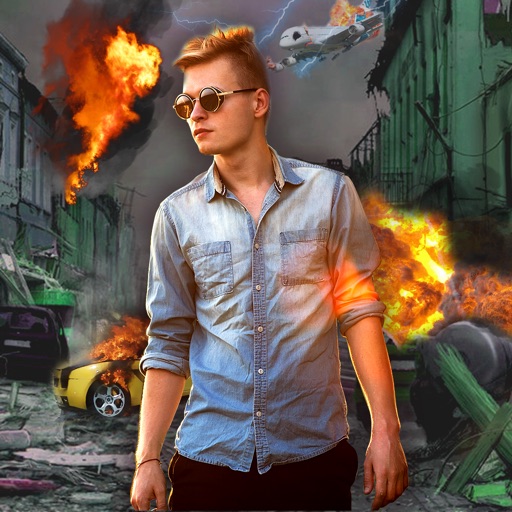
Edit photos with -themed effects like explosions, bomb blasts, and action stickers. Apply customizable FX frames and VFX filters. Decorate images to resemble posters. Share edited photos directly.
Edit photos using AI to create customizable avatars. Upload images and select from various styles to personalize avatars. Share avatars on social media and save them for later use.
Create custom Wars opening crawls by entering text, episode names, and opening sentences. Adjust text size, speed, background images, and music. Share videos or GIFs via email or social media. Upgrade to change the crawl title.
Create text with distorted, creepy characters. Choose corruption levels from mild to extreme. Customize character placement above, below, or both. Adjust dripping effects. Share generated text via copy or social media.