The app provides a simple interface for counting beats per minute by tapping the screen in time with music. It is suitable for musicians, children, and teachers seeking a straightforward user experience.
by Sebastian Mikolai★ 1.01 ratingsMusicFreeData updated 2026-10-21
Create beats using 154 drum kits. Adjust tempo and rhythm patterns. Customize sounds with effects. Save and export loops. Share creations via social media. Sync with other devices for collaborative projects.
Create beats by singing melodies and selecting genres. Record and edit audio tracks. Generate instrumental accompaniments. Export beats in multiple formats. Sync with music libraries. Adjust tempo and rhythm. Add effects and mix tracks.
Create and customize beats with a wide range of preloaded sounds and effects. Build loops and sequences intuitively. Export tracks in various audio formats. Share creations directly to social media or music platforms.
The app provides a first piano experience for children, featuring 83 songs with a guided learning mode. It offers note names on keys and allows users to unlock additional instruments for varied sound experiences.
Play rhythm-based games by tapping notes in sync with music . Choose from multiple key layouts including 2-key, 4-key, and 6-key. Complete challenges to unlock rewards. Customize stages, special effects, and character skins.
Create by moving instruments and musicians. Adjust speed and direction to change the melody. Sync movements for coordinated sounds. Explore rhythm and creativity through interactive play.
The app offers a metronome, groove box, and drum machine with high-definition sounds. It includes practice tools like Beat Hider and Progressive Tempo for musicians to refine their timing and technique.
Set tempo with BPM adjustment and tap tempo. Choose beats per measure. Add sixteenth notes and triplets for rhythm practice. Configure settings for custom timing options.
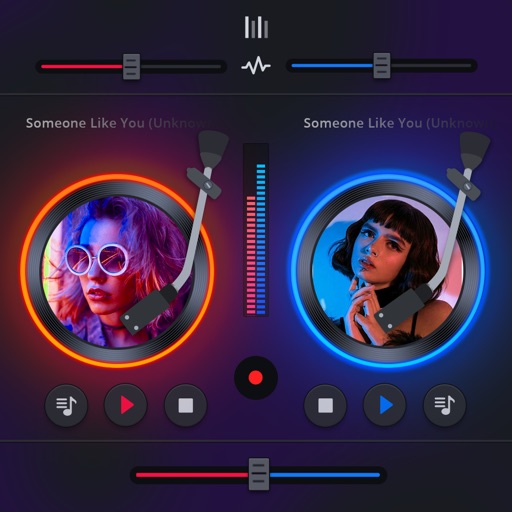
Manage playback with a 3D DJ interface featuring turntables and a 3-band EQ . Access a library to organize files and create custom mixes. Adjust volume and effects in real time during playback. Sync with external devices for live mixing.
Recreate melodies and beats by matching notes on a grid. Earn coins by accurately reproducing songs or modifying existing beats. Solve daily puzzles to improve musical skills and progress through 100 levels.
Create music by selecting and mixing sound packs across genres like hip-hop, trap, and dubstep. Drag and drop loops to build tracks. Record vocals, raps, and beats.
Create and mix audio tracks with DJ tools, access from media or cloud storage, use high-quality pads and loops, apply filters via swipe gestures, and adjust pitch with the Pitch Key A feature.
Split audio files into vocals and instruments using AI. Import audio or video files, screen recordings, or paste links. Export stems in various formats. Edit and rearrange tracks within the .
Practice rhythms and compose music with customizable patterns and notation. Track practice sessions and set goals. Schedule rehearsals and manage setlists. Export and print sheet music. Collaborate with other musicians in real time.
Create and customize kits with 154 options including 42 classic and 112 original electronic kits. Adjust sounds, velocities, and effects. Record and playback performances. Sync with MIDI devices and control via touch or pads.
Manipulate breakbeats in real time with instant touch controls. Create and record glitched audio samples. Adjust parameters to twist sounds and generate new beats. Sync with MIDI devices for advanced editing.
Create using audio loops and 150+ sound packs. Apply digital effects, control pitch and reverb. Adjust volume, BPM, and save or share tracks. Record voiceovers and one-shot beats for custom mixes.