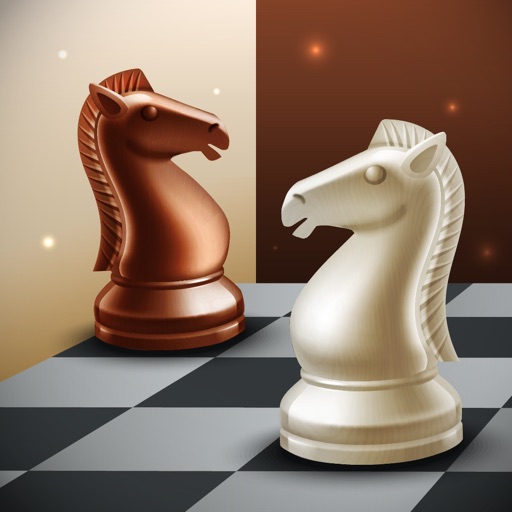
Play on a grid-based board. Move pieces according to specific rules. Capture opponent's pieces and use them in your own game. Track turns and game history. Share results with other players.
by Shigeo Mimura★ 4.110 ratingsGamesFreeData updated 2026-09-08
Complete by matching pieces to form photorealistic images. Choose from various difficulty levels. Play daily for free. Save progress and view completed . Share finished with others.
Play chess by flicking stones to move pieces. Capture opponent's stones to gain advantage. Protect your king to avoid checkmate. Track game progress and replay moves.
Play against the computer, a friend, or random opponents. Move pieces, capture opponents' pieces, and win by removing all their pieces. Save game progress and challenge others .
Solve image puzzles by rearranging torn pieces. Create custom puzzles with hand-drawn graphics. Play offline without time limits or penalties. Challenge brain with hundreds of puzzles. Arrange pieces freely without restrictions.
Play against another player. Move pieces across the board using dice rolls. Capture opponent's pieces to reduce their count. Track turns and game progress. Adjust game settings for difficulty and rules.
Play with customizable board themes and adjustable difficulty levels. Challenge AI opponents or compete against friends via online multiplayer. Track game history and analyze moves with detailed statistics. Save and share game records.
Solve puzzles by sorting and moving pieces on a board. Choose from over 25,000 puzzles across various categories. Fill in edges like a real . Access puzzles anytime and anywhere. Adjust difficulty settings. Track progress and save puzzles.
The app offers a Japanese chess experience with the unique rule of using captured pieces. It includes multiple game modes, adjustable computer difficulty, and options for piece display and move assistance.
Play against AI, friends, or global players. Analyze moves with post-game insights. Solve puzzles and access tutorials. Track progress and customize board themes. Challenge opponents with real-time multiplayer. Save and review game histories.
Game allows two players or one player to compete. Users can customize their name and select from over 200 flags. Choose piece colors, board variants, and styles. Adjust AI difficulty and select game settings before starting.
Play a puzzle game with drag-and-drop mechanics on an 8x8 grid. Clear rows or columns to eliminate blocks. Choose from multiple free themes. No internet required. All content is free with unlimited upgrades.
Play a with intuitive controls and beautiful animations. Move cards between piles to solve puzzles. Access free hints and use left-handed mode. Large cards ensure clear visibility.
Create and customize planets with drawing tools. Break planets into pieces with unique physics. Control or spawn spaceships for battles. Engage in space combat and destruction mechanics.
Play card game with two players. Manage a board for scorekeeping. Use a separate hand for the dealer. Track points from card combinations totaling fifteen. Score during play and show stages. Aces count as low.
Play with 1-player or 2-player modes. Choose from multiple board themes and piece designs. Adjust sound effects and background music. Save game progress and review move history. Sync with cloud storage for cross-device play.
Play a physics-based puzzle game where you guide Bob through 120 levels. Tap buttons, move platforms, and activate machines to prevent Bob from falling. Solve challenges in four distinct worlds. Adjust settings to control difficulty and enable hints.