Connect to PCs and virtual apps securely. Access remote desktops from iOS or iPadOS devices. Run admin-provided applications and access 365, Azure Virtual Desktop, and Remote Desktop Services. Manage connections and settings directly on the device.
by Microsoft Corporation★ 4.27,765 ratingsBusinessFreeData updated 2026-09-08
Create and manage Sharespaces as virtual hard drives to store and organize files. Copy, move, delete, rename, and categorize documents. Share files with other apps, devices, or cloud services via supported protocols.
The app allows users to access their Windows PC from an iPad or iPhone. It offers features like a trackpad for mouse control, a modifier keypad, and pinch-to-zoom functionality.
Detect vulnerable systems by syncing with an online database and running regular scans. Test and approve patches automatically through test groups based on OS and department.
Turn physical gestures and voice commands into digital inputs. Control devices via shake, tilt, or head movements. Use voice dictation and virtual buttons for input. Integrate with third-party apps.
View and edit documents, music, videos, and pictures stored on Windows or Mac devices. Automatically back up files to an online account and access them securely from iOS. Upload photos and videos from iPhone or iPad automatically.
The app provides mobile RDP access to Windows PCs and applications. It features patent-pending technology for resizing Windows objects and supports touchpad and floating pointers.
The app provides mobile RDP access to Windows PCs and applications. It features patent-pending technology for resizing Windows objects and supports touchpad and floating pointers.
The app allows users to send instant alerts and notifications to Windows, Mac, and Linux desktops from a mobile device. It supports full-screen notifications for public displays and includes features like message prioritization and clickable URLs.
The app provides remote access to Windows, macOS, and Linux computers. Users can view the remote desktop, control the mouse and keyboard, and transfer files through the app.
Control your computer with a wireless and touchpad-style from your iPhone. Type on Mac or Windows PCs, navigate with cursor movements, and use a numeric keypad for precise input. Adjust settings and manage devices remotely.
Interactive of events with drag-and-drop editing and bulk import from Excel. Link people, issues, and facts to events. Add icons, colors, and tags for organization. Assign scenes to recall specific moments. Share wirelessly in court or remotely.
The app allows remote control of PC or Mac mice over WiFi, 3G, LTE, or Bluetooth LE. Users can capture screens, adjust volume, use gyroscope for presentations, and magnify the screen for precise clicks.
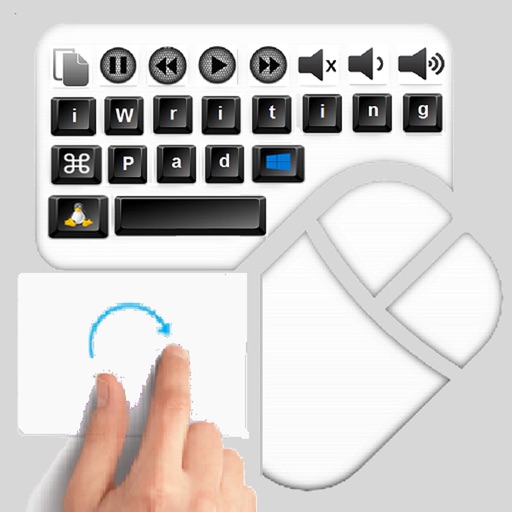
The app provides an iPad user experience on computers. It allows users to control PCs using touch gestures as a remote mouse and handwriting recognition keyboard.