
Paper - Live Wallpapers
凌云 张
Set daily 4K
Set daily 4K with curated images. Choose from ultra HD and full HD options. Adjust wallpaper settings and preview effects. Sync with iPhone desktop for dynamic backgrounds.
Make photos shine with effects
The app provides over 30 effects to make photos appear shiny and sparkly. Users can preview effects instantly and adjust transparency with an alpha slider.
Showing 321–340 of 1,000 ranked alternatives.
凌云 张
Set daily 4K
Set daily 4K with curated images. Choose from ultra HD and full HD options. Adjust wallpaper settings and preview effects. Sync with iPhone desktop for dynamic backgrounds.

Paul Sundar
Record videos and apply VHS effects
Apply filters to create a VHS-style effect with tracking lines and a customizable date stamp. Edit videos and photos to simulate vintage quality. Adjust color, brightness, and contrast for enhanced visuals.

Appenvision Ltd
Photos, edit details, apply effects
Edit photos with motion , bokeh lens, and mosaic effects. Adjust brightness, contrast, and color. Crop images to various sizes. Share edited photos directly. Apply to the entire image, background, or specific faces.

Yoshiyuki Hirose
Create movies from photos, videos, and sound
Create movies using sound, photos, and videos. Select media from camera roll. Set durations and add up to 100 images. Choose music from iPod or camera roll. Record voice and apply sound effects like pitch shift, speed change, and echo.
Jai Parkash
Edit photos and apply
Edit photos with skin smoothing, whitening, and acne removal tools. Apply blur and adjust face contours. Access dozens of drip with customizable backgrounds and colors. Share edited images directly.
HC MAKER - PHOTO LOGO BACKGROUND EDITOR APPS FOR FREE
Apply filters and share photos
Edit photos by importing or taking a picture, then applying curated filters designed by professional photographers. Save edited images and share them directly. Access a library of free images for inspiration.
Eyetap Soft LLC
Capture long exposure and light trails.
The app allows users to capture long exposure, light trail, and low light photos. It offers features for adjusting exposure, creating motion trail effects, and modifying brightness, contrast, and color after shooting.

Ismail Marzouk
Set with effects
Create custom with HD and 4K quality. Choose from gold, pink, silver, holographic, and rainbow options. Apply to iPhone home screens and lock screens. Preview and save selected designs.
Andrei Kuzmenko
Decorate photos with and share
Decorate photos with -themed and color effects. Apply bokeh effects and stickers. Share edited photos directly with friends.

HOANG PHAM
Create collages with 64 layouts
Create collages with 64 layouts and custom difference templates. Add photo frames, stickers, captions, and text with font options. Edit backgrounds and export finished collages.


Aakaash Soni
Take selfies with real-time filters and frames
Take selfies with real-time filters and frames. Adjust skin tone and brightness. Add sparkle effects and enhancements. Capture photos with customizable settings. Share edited images directly.

Simon Crack
Transform photos into undead faces.
The app transforms photos into undead or monster faces using over 80 filter masks. Users can apply effects to new pictures or existing ones from their camera roll and share the results.
Masanori Katsuta
Merge photographs and camera images now.
The app allows users to merge camera images and photographs in real time. Users can adjust transparency and pen size to create unique visual effects.


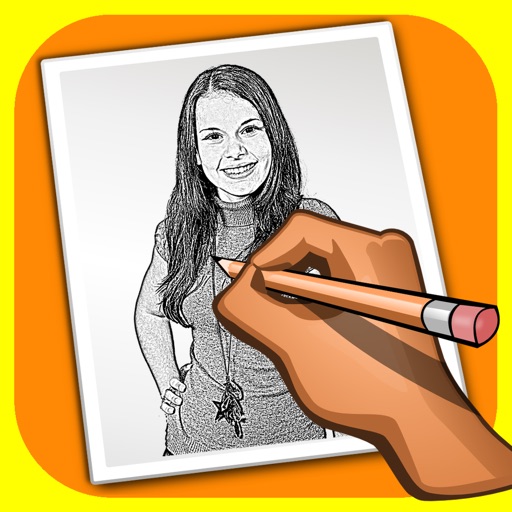
Alexander Dr. Rieger
Turn photos into pencil drawings.
The app transforms user photos into pencil drawings with a sketch shine effect. Users can apply this filter to images captured with the device's camera.

福恩 毛
Create inverted color artwork fast.
The app allows users to create inverted color images and classic film negatives. It offers a live split preview, curated presets, and the ability to blend effects for various artistic results.
Apps are ranked by functional similarity, category fit, rating confidence, and popularity.