Take a and use the Move button to align the measurement area with the center of the . Adjust the measuring line using the Angle and Start Line buttons to display angle and radian values.
by Mayumi Kato★ 4.040 ratingsUtilitiesFreeData updated 2026-09-08
Measure levels in lux and foot candles with real-time color temperature readings. Calculate daily integral for plants. Track average and maximum values. Adjust shooting settings based on measured data.
Create fisheye effects for photos and videos using ultra wide angle emulation. Adjust lens distortion and apply realistic fisheye styles. Capture 360-degree wide angle shots. Preview effects in real time and save edited content.
Measure sound levels using the built-in microphone. Display decibels in dBA with a digital readout. Show minimum, average, and maximum values. Visualize sound levels with a graph line.
The app allows users to take wide-angle self-portraits using the iPhone's front camera with a full-screen preview. It can combine four photos into one and offers options for single shots or timed intervals between photos.
Measure rotational speed using flicker frequency analysis. Adjust frequency with precision up to 1000 Hz. Detect stationary motion by matching flicker rates. Control connected flashlight for testing. View frequency and RPM values in real time.
Place AR artworks, adjust lighting, capture creations
View and interact with augmented reality artworks from renowned artists. Adjust shadow angle and light intensity to fit surroundings. Use night mode with a torch to illuminate the artwork. Capture photos or videos and share with others.
Calculate optimal PV angle for maximum electricity
Determine optimal PV angle for maximum electricity generation. Access data charts including elevation, azimuth, sunrise, sunset, and sunlight duration. Calculate vs azimuth optimization for chosen azimuth.
View and edit DWG, DWF, DXF, and PDF files. Perform precise measurements with 8-digit accuracy. Add annotations and export drawings. Share files and access a large TTF font library. Print drawings directly.
The app provides basic arithmetic calculations with a two-line display and a paper tape. It shows the calculation formula and its result simultaneously, featuring large buttons for ease of use.
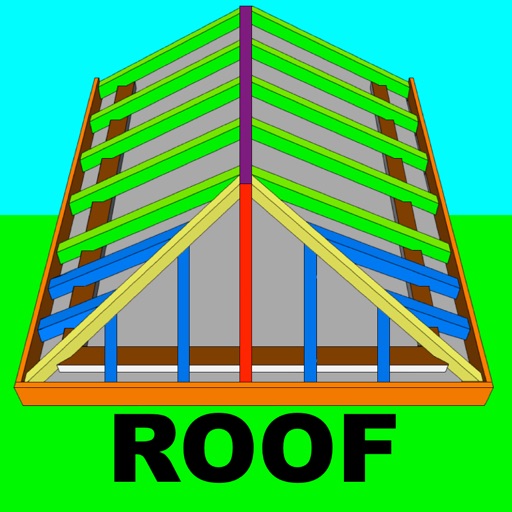
Calculate rafter, hip, and jack rafter lengths with precise angle cuts and birdsmouth dimensions. Input roof dimensions for instant results. Guide users in cutting roof components accurately without trial and error.
Calculate sales tax and discounts with percentage-based equations. View calculation history for reuse. Adjust tax settings via swipe. Customize rounding preferences. Choose from multiple color themes. Perform basic arithmetic operations.
Save videos from web pages and extract audio. Use picture-in-picture mode to watch videos in a smaller window while using other apps. Switch display modes for different viewing experiences.
Measure horizontal and vertical surfaces with a . Use a laser for precise alignment. Check surface flatness with a spirit . Access inclinometer for angle measurements. Set and track levels for accurate tasks.
Create collages with customizable grids and multiple layout options. Add photos by selecting from camera or gallery. Adjust images using zoom and touch gestures. Change background colors or themes. Save or share collages through social media apps.
Performs X, Y, R radius calculations and theta measurements. It includes -specific functions for ducting offsets and angle computations. Features dimensional math, geometry, and trigonometry tools for precise construction calculations.
Create collages by arranging photos in various layouts and adjusting their position, angle, and size. Apply unique filters and choose from rich typography styles and text stickers.
Displays real-time traffic and satellite views. Shows current location and allows address input. Measures land area and calculates radius and corners. Shares location via email, SMS, or social networks. Auto-updates direction based on movement.