The app allows users to create and edit melodies using a line-drawing mechanic. Users connect characters representing musical notes, with the drawn lines forming melodies that are governed by musical rules.
by Jiyoung Lee★ 4.449 ratingsEducationFreeData updated 2026-10-20
Let toddlers make pretend calls and sing-along to nursery rhymes. Choose from four musical instruments. Features colorful screens and allows unlimited play across devices.
The app allows users to play chords by tapping buttons and strumming. Chord buttons can be reconfigured for over 150 chords per key, and users can experiment with picking melodies.
Play melodies with interactive lessons and free play mode. Learn basic rhythms and notes through step-by-step guidance. Adjust volume and sound settings. Save and replay created melodies. Share performances directly.
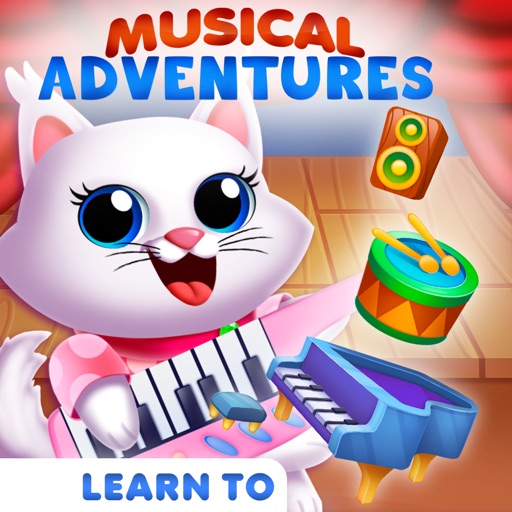
Learn through interactive gameplay with over 25 popular songs across five genres. Tap instruments and objects to create melodies. Complete levels by matching notes and rhythms. Choose from various musical elements to explore different sounds.
Create and customize using AI-generated melodies. Input musical ideas to generate songs. Adjust tempo, key, and style. Export tracks in various formats. Share directly or integrate with libraries.
Create and play music with virtual instruments including pianos, basses, guitars, drums, and synthesizers. Use Chord Pads to build harmonies. Record performances and export audio files. Share creations directly from the .
Create and customize MIDI sequences with scale selection, complexity settings, and step controls. Generate random patterns and melodies. Adjust pitch, transpose, and set playback motion. Export patterns or use Infinity mode for continuous generation.
Learn musical notes by associating them with colors and vibrations. Practice identifying pitches through synesthetic feedback. Track progress and receive guidance to improve recognition without a reference tone.
Train musical skills with interval, chord, and progression recognition exercises. Customize training sessions. Set practice goals and track progress. Receive instant feedback on answers. Export results for review. Sync progress across devices.
Create drawings while producing with interactive sound effects linked to each stroke. Adjust sound parameters and customize drawing tools. Save and share artwork with audio accompaniment.
Play melodies by blowing into the microphone, simulating a with a virtual air bag. Follow tutorials to learn musical notes and create magical tunes. Share performances and explore traditional music.
The app provides melodic contour identification testing and training. It helps users improve their awareness of melodies to enhance music appreciation.
Learn to identify musical notes, rhythms, and accents through interactive exercises. Match heard melodies on a virtual piano keyboard. Progress from simple one- or two-note phrases to complex musical patterns.
Practice musical and chord recognition with interactive exercises. Track progress with saved statistics. Return to specific exercises for focused improvement.
Record vocals and select a musical style and tempo. The detects pitch, key, and structure, then auto-tunes the vocal and generates original backing music. Users can create and export original songs.
Learn about musical instruments through interactive . Tap on instruments to hear their actual . Explore images and associated audio. Receive feedback on ratings and contact support via email.
Create music by tapping colorful cells on a grid, each representing a different sound. Use multiple instrument layers including drums, bass, and synths. Access a professional sound library with high-quality samples. Record and save compositions.