The app allows users to input braille characters using six buttons, similar to a braille typewriter. It can output the braille characters as audio and save braille images to the camera roll for later review.
by Seiji Nagano★ 0.00 ratingsEducationFreeData updated 2026-10-18
Translate words and phrases between English and . Look up definitions, synonyms, and antonyms. Scan text with camera for translation. Access offline dictionaries and pronunciation. Bookmark entries for later review.
Teaches Russian alphabet through animated characters, fun stories, and interactive games. Includes letter recognition, word building, and coloring activities. Offers no ads and is divided into three learning sections.
Allows children to make calls and video chats with pre-set characters. Includes ABC learning, music, and coloring activities. Features interactive and a safe, child-friendly interface for toddlers aged 2 to 5.
Scan problems with the to get instant solutions. equations, simplify expressions, and view step-by-step explanations. Convert text to formulas and save notes for later review. Share results via email or messaging.
Through interactive flashcards and quick drills. Practice pronunciation with audio examples and receive instant feedback. Differentiate between similar sounds and identify correct tone usage in words.
Learn about organic gardening and sustainable farming through interactive activities. Plant seeds, care for plants, and track growth. Explore composting with Connie the Compost and other characters.
Translate text into 110 languages. Use built-in camera to translate images. Speak and translate voice input. Listen to translated audio. Translate text from images using OCR. Available offline.
Capture problems with the camera for instant step-by-step solutions. Solve algebraic expressions, equations, functions, and sequences. View detailed explanations and practice similar problems.
Teaches counting and colors through interactive . Features logic puzzles, memory challenges, and color recognition activities. Includes animated characters and sound effects. Adapts to child's age and offers continuous updates.
Learn Chinese with flashcards covering levels 1 through 6. View simplified and traditional characters with pinyin and English definitions. Listen to word pronunciations, bookmark words, and add notes. Review flashcards for all levels or speed review.
Personalized stories featuring the child's name, favorite settings, and interests. Children can customize characters, choose story elements, and add dialogue.
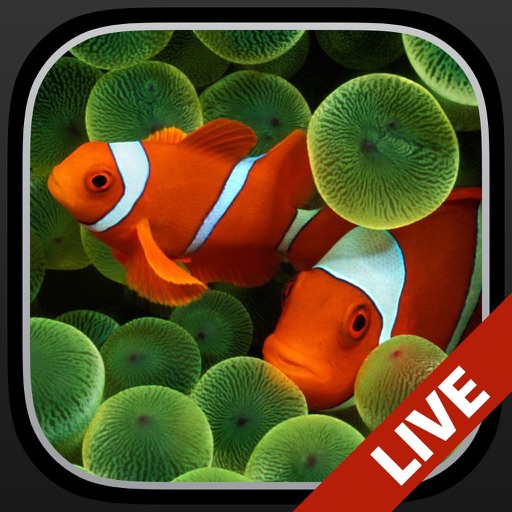
Change the wallpaper with animated scenes featuring sharks, clownfish, and blue tang. Swipe through multiple wallpapers to select favorites. Save preferred wallpapers to the Camera Roll for later use. Requires iPhone 6s or later.
The app offers flash cards, a beginners dictionary, and quizzes to learn Japanese hiragana and katakana. Users can practice reading, writing, and pronunciation with voiced characters and stroke order animations.
Access articles, audio pronunciations, and images from trusted sources. Search for topics, view detailed explanations, and explore content on various subjects. Save and bookmark entries for later reference. Share content via social media or email.
From JLPT N5 to N1 with over 1900 characters and 5900 vocabulary words. Practice Hiragana and Katakana alphabets. Progress through structured lessons and review sessions. Test knowledge with quizzes and flashcards.
Students can explore subjects like , chemistry, and physics through interactive lessons. The provides step-by-step guidance for solving problems, helping users understand concepts and apply them to similar questions.
Learn vocabulary with daily words, meanings, audio pronunciations, and example sentences. Take interactive quizzes to test knowledge. Save favorite words for easy review.
Learn by writing numbers with your finger. Receive feedback on correct answers and mistakes. Track achievements and progress. Interact with chibi characters for an engaging learning experience.