The app allows users to input braille characters using six buttons, similar to a braille typewriter. It can output the braille characters as audio and save braille images to the camera roll for later review.
by Seiji Nagano★ 0.00 ratingsEducationFreeData updated 2026-10-18
Learn with structured lessons covering 23 chapters, 8000 words, and 200 topics. Practice grammar, vocabulary, and real-life scenarios. Take quizzes in six modes to test knowledge and track progress.
Translate text between Indonesian and with accurate language conversion. Input text or capture images for . Supports bidirectional language switching. Save and share translated content.
First Peoples Heritage Language and Culture Council
Search words, listen to audio, save phrases
Access bilingual words and phrases with audio, images, and videos. Edit entries by replacing multimedia with personal content using device camera, microphone, or stored media. Save and share customized entries.
View synchronized sheet music while listening to classical recordings. Navigate through tracks, adjust playback speed, and access detailed album information. Highlight musical sections and save favorite passages for later review.
Look up Chinese words with English or pinyin input. Search in both English-to-Chinese and Chinese-to-English directions. Support for traditional and simplified characters. Includes a database of several thousand words.
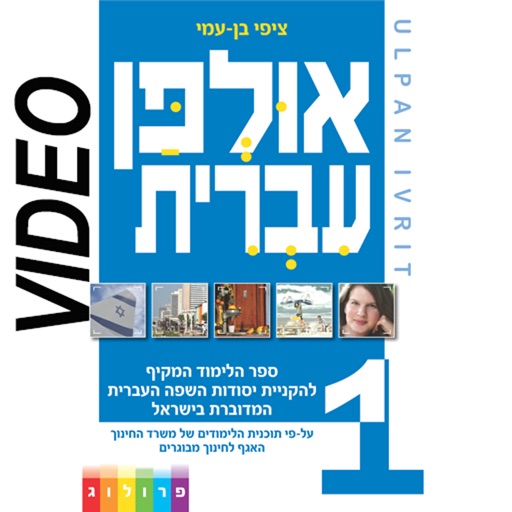
The app offers a Hebrew learning course with 36 lessons and over six hours of video training. It includes professional narration for dialogs and exercises, with solutions available.
Teaches mean, mode, and median calculations. Explains step-by-step how to compute each statistic. Allows users to input numbers and view results. Includes interactive practice for learning concepts.
Translate text, speech, images, and PDF documents using AI-powered neural translation. Speak translated text aloud. Understand 100+ languages. Translate camera images and documents instantly.
Learn through a story about a prince and wizard saving their kingdom. Help 10 characters with favorite . Practice counting, addition, and subtraction. Track progress with interactive challenges and rewards. Share achievements with family.
This educational app features 56 full-color photo cards with audio prompts to help students practice and learn words with similar meanings. Users can track responses, view results in a graph, and share data.
Create sketches by selecting images from a library, camera roll, or camera. Adjust image display with pinch, pan, and rotate gestures. Overlay images in real time. Save drawings automatically and review progress over time.
Learn academic subjects through interactive games and animated characters. Complete memory exercises and earn coins. Track progress with daily lessons and themed scenarios. Access educational content designed by psychologists and educators.
The app presents over 500 words with colorful images and spoken audio. Its simple controls and navigation offer a friendly learning environment for children.
This interactive storybook features characters that can move and make sounds. The app offers audio narration by the author or a text version for reading aloud.
To write characters through interactive lessons and etymology-based instruction. Practice stroke order, trace characters, and receive feedback. Track progress and review character components for better retention.
The app introduces Thai characters and grammar through structured lessons. It includes audio recordings of Thai words to help users practice pronunciation and tone.
Allows users to access and study special tests for surgery. Tests are organized by body region and type. Users can review detailed descriptions and perform virtual simulations of each test.
The app offers a fun approach to learning the alphabet with animated characters. Children can learn letters, match them to objects, and form simple words.
Learn sentences, practice typing, reinforce vocabulary
Learn languages through sentences with sentence-based flashcards and translations. Organize learning sets by language and save original/translation pairs. Use spaced repetition to reinforce knowledge over time.
Look up words with - translations and bilingual example sentences. Access thesaurus, idioms, and entries. Use merged search to find terms by characters. Create and review flashcards for vocabulary practice.