Apps Like Bitface - 8-bit Avatar Creator for iPhone and iPad
Create and share 8-bit avatars easily.
The app allows users to create 8-bit avatars with a simple interface. Users can share avatar images through various platforms and assign them to contacts.
by Yann Bodson★ 3.213 ratingsSocial NetworkingFreeData updated 2026-10-18
Send and receive messages with support for multimedia content. Share files of any size. Connect with users globally. Encrypt messages using 256-bit AES, 2048-bit RSA, and Diffie-Hellman key exchange. Manage contacts and view message history.
The app transforms selected pictures into video stories with organic transitions and filter effects. Users can compose with photos from social networks and include songs from their library.
Design and customize belts with full control over colors, patterns, and accessories. Add autographs for personalized touches. Display creations in a virtual case. Share designs via multiple options. Explore over a trillion unique combinations.
Create animated GIFs from photos or videos. Adjust size, frame delay, and speed. Add text and stickers. Re-edit existing GIFs with customization options. Export and share finished animations.
The app presents a game where users control the wind to guide falling bits to their matching colors. The objective is to score points and see how far players can progress in this old-school style game.
The app allows users to select foreground images from various sources and erase backgrounds. Users can then add background images, text with over 100 font styles, and over 1000 stickers to create edited photos.
Edit photos with high-quality resolution and advanced filters. Adjust brightness, contrast, and saturation. Add text overlays and stickers. Crop and rotate images. Export in various formats and share directly.
The app allows users to stay connected with First Baptist Kettering. Users can watch or listen to past messages, receive push notifications, and share messages via social media or email.
Transform photos into -style artwork using AI. Select an image from the camera roll. Apply filters via AI processing. Save the result and share it directly.
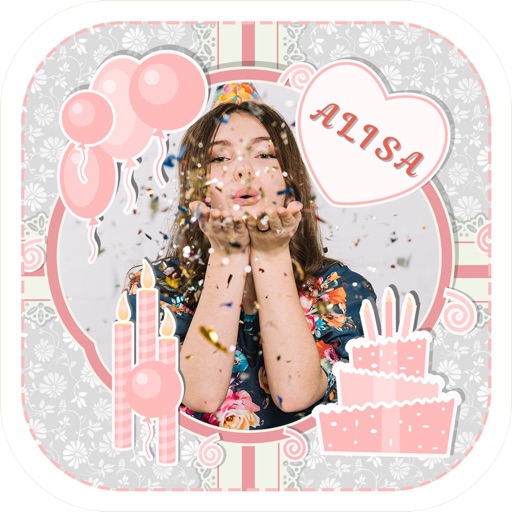
Edit photos by adding , stickers, and text. Create collages and cards with customizable designs. Upload images from the gallery or take new photos. Choose from pre-designed and stickers. Add notes and messages to photos.
Create a customizable avatar with options for skin tone, hair color, and eye style. Decorate the with various fashion items. Design a personal room with decorative elements. Save and share created avatars and room designs.
Record and edit videos in 720p and 1080p HD. Add photos, videos, and trending GIFs. Apply filters and transitions. Create Christmas, Xmas, and New Year themed reels. Share directly to social media platforms.