The app converts color into music using a unique algorithm that analyzes RGB values, luminance, and chromatic values. These are converted into musical notes using tonal scales and musical keys, played by a built-in synthesizer and sample player.
by Dave Scruton★ 4.01 ratingsMusicFreeData updated 2026-10-18
Create and edit using a synthesizer with a location-sensitive keyboard and a drum sequencer. Record and arrange beats. Export tracks in various formats. Sync with MIDI devices.
Create beats and melodies using drum kits, synths, and melodic instruments. Sample audio via phone microphone. Edit MIDI sequences and export tracks to Live. Explore sound libraries and experiment with effects. Save and share musical ideas directly.
This iPad application allows users to control the tuning scale of their Roland musical instrument. Users can change the tuning of keys and apply values to notes of the same name.
Develop musical ear through 80 progressively challenging levels. Recognize intervals and improve solfege skills. Identify pitches relative to a tonal center. Syncs with Apple Health.
Explore musical scales and tunings through interactive soundscapes. Adjust pitch and harmony by touching and manipulating virtual instruments. Discover new tonal structures without prior music theory knowledge.
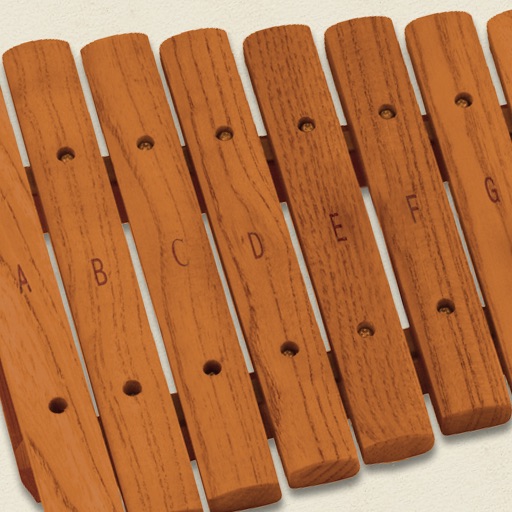
The app simulates a marimba, a percussion instrument with wooden keys arranged like a piano. It produces musical tones when struck with mallets, offering a chromatic layout for performers.
Access over a million guitar , , and sheet music for guitar, bass, ukulele, and drums. Import custom tab files. Sync favorites and playlists across devices. View offline. Adjust tempo and display notation.
Create music using touch-based sampling and gesture recording. Explore samples for melodies and textures with various play modes. Record compositions and experiment with audio in real-time.
Remove vocals, instrumental tracks, and 8 musical instruments from audio files. Extract background from recordings. Preserve original bitrate and format when isolating elements.
Create and manipulate audio using granular synthesis techniques. Adjust grain size, direction, and step size. Apply effects such as reverb, wave shaping, and sample crushing. Connect via AudioCopy, AudioBus, Inter Audio, and AUv3.
Create and record musical sequences in real time. Adjust synthesis parameters for customized sound. Connect up to two devices for collaborative playing. Features intuitive interface, bright colors, and accessible design for all skill levels.
Allows users to create and manipulate monophonic sounds using phase distortion synthesis. It features two PD oscillators with waveform shaping options. Users can sequence with 8-step sequencers, sample and hold, and control modulation parameters.
Train musical ear by identifying scale degrees through sustained drones. Practice melodies by playing them on your device. Receive instant feedback on accuracy. Customize training sessions with different keys and difficulty levels.
Create loops by repeating played notes until they fade out. Adjust loop length and pitch. Layer multiple loops to build complex textures. Tap to start or stop playback. Save and share custom loops.