The app offers features like adding comments, customizable background colors, and smooth image manipulation. It also includes a draft board for text fragments and document information statistics.
by 洪 陈★ 0.00 ratingsProductivity$3.99Data updated 2026-10-18
Scan NFC tags to view details like tag ID, type, and content. Write text, URLs, or files to tags. Manage saved entries, edit tag data, and organize tags in a list. Share tag content via copy or export options.
Perform calculations with live voice input. Use an ergonomic key layout with an extra large "+" key and backspace function. Copy and send results via email. Support dark mode and retina display on all iPads and iPhones. Track usage history.
The app allows users to view and manage various document formats. The app supports multiple file types and offers customization options for viewing and organizing documents.
Edit with a Sublime-like interface. Open and edit local and remote files via Dropbox, OneDrive, FTP, SFTP/SSH. Support multitasking, split-screen, and iPadOS mouse. Use Siri Shortcuts for automation. Enable multi-caret editing for efficient coding.
Turn your iPhone or iPad into a portable document . Scan documents, books, receipts, and whiteboards to create multi-page PDFs. Correct perspective automatically for readable scans. Export files or upload to cloud services. Print via AirPrint.
Write thoughts, journal entries, or stories in a clean, distraction-free interface. Use elegant typography and spacing for a natural writing experience. Save and organize notes without clutter. Export content in multiple formats.
Writer helps users create stories using AI. Input a theme or character, and the generates narrative ideas. Users can edit and expand generated content. Export stories in text format and share via email or social media.
Write and edit essays with AI-generated drafts, suggestions, and feedback. Summarize text, brainstorm ideas, and create project proposals. Assist with email , copywriting, and academic assignments.
Format scripts according to industry standards with automatic styling. Write in distraction-free mode with customizable layouts. Outline stories using an advanced beat-board tool. Collaborate in real-time with margin notes and feedback integration.
Track calculations with a step-by-step history. Perform basic arithmetic operations. Save and review previous steps. Calculate totals for budgets or shopping lists. Edit or clear individual steps. Export results as text.
Allows users to create and manage shared calendars, schedule events, and set reminders. It includes a to-do list, countdown timers, and goal tracking features. Users can customize themes, fonts, and backgrounds.
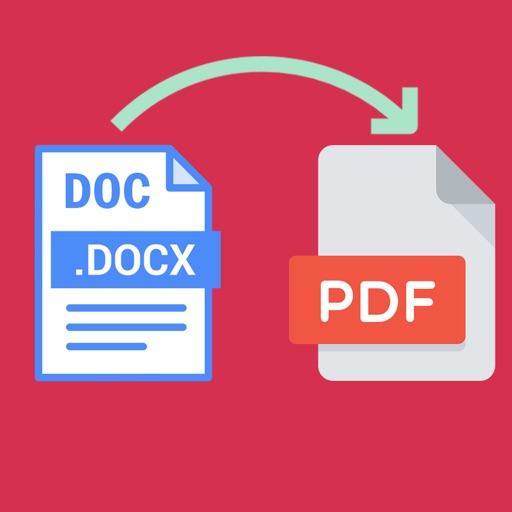
Word documents to PDF with full font support including Unicode, Indian, Arabic, Brazilian, and special fonts. Edit and view PDFs without font errors. Save and share converted files directly.
Plan tasks with handwritten notes, doodles, and sketches. Switch between yearly, monthly, weekly, and daily views. Customize templates and retain past notes. Sync with Apple Calendar to view events directly.
The app supports djvu and pdf formats with a visualization system for mobile devices. It offers elegant design, extended functionality, and high speed for working with large documents.
Convert images and documents to PDF with one tap. Edit and annotate PDFs. Batch convert multiple files. Maintain original quality during conversion. Share converted files directly.
The app allows users to read and manage documents in various formats including Hangul, Word, spreadsheets, and presentations. It supports converting Hwp, Word, and Presentation documents to PDF or image files.
Write and organize plain text files in libraries. Access documents via swipe. View character, word count, and reading time. Support multiMarkdown for formatting. Hide navigation bar for focused writing. Link favorite libraries for quick access.