Play MIDI keyboard and pedal inputs to trigger Bureå Church pipe organ samples. Adjust organ settings and sound parameters. Export audio recordings and share files.
by Markus Sigg★ 5.02 ratingsMusic$29.00Data updated 2026-09-08
Create and manipulate sound using FM synthesis and waveshaping techniques. Adjust oscillator parameters, filter settings, and envelope shapes. Save and load presets. Integrate with Logic Pro, GarageBand, and other AUv3 compatible hosts.
Create full songs using AI. Input lyrics, ideas, or audio samples to generate melodies and arrangements. AI generates realistic singing vocals. Export and share finished tracks.
Play using realistic acoustic and electronic sounds. Choose from 8 acoustic models and 5 E- legends. Adjust keyboard sensitivity and touch response. Save and share performances. Sync with MIDI devices.
Record and edit up to 16 tracks of looped audio. Adjust track settings, use sound-on-sound and overwrite modes. Supports Inter Audio and AudioBus for virtual instrument integration. Customize loops and perform live recordings.
Create and manipulate audio using granular synthesis techniques. Adjust grain size, direction, and step size. Apply effects such as reverb, wave shaping, and sample crushing. Connect via AudioCopy, AudioBus, Inter Audio, and AUv3.
Create and customize synth patches using analog modeling technology and intelligent preset generation. Adjust modulation parameters for sound shaping. Access a library of pre-designed synth tones. Export audio files for use in projects.
Create and edit MIDI sequences with step sequencing. Control tempo, patterns, and effects. Transpose, manipulate, and mutate patterns. Trigger performance options via MIDI keyboard. Export and share MIDI files.
Create and manipulate audio samples with granular synthesis and cloud-based sampling. Use MPE for expressive control. Access samples across iOS and desktop devices. Adjust parameters for precise sound shaping. Export and share audio files directly.
Professional music synthesizer with virtual analogue sound engine. Play using on-screen keyboard or MIDI controllers. Connect to digital audio workstations via MIDI. Sync with other apps via MIDI Clock.
Create and edit patterns using a circular interface. Adjust polyrhythms and evolving sequences. Add effects and automation. Export audio files. Share projects directly. Control tempo and swing. Sync with MIDI devices.
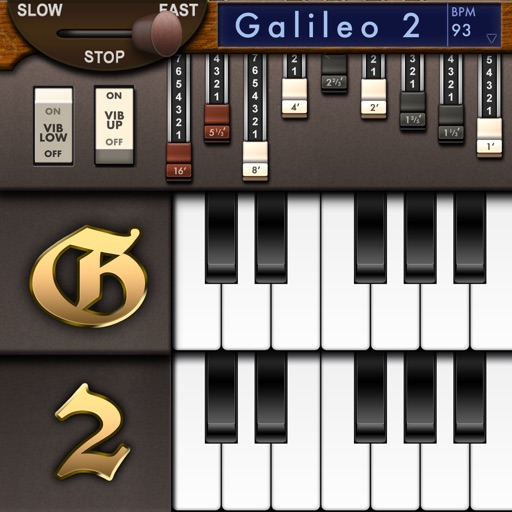
Create and customize sounds with 17 different types. Configure three manuals independently. Use scanner vibrato and chorus effects. Simulate rotary cabinets and tube amplifiers. Access AUv3 plugin for integration.
Create beats using a drum machine with over 1000 curated sounds organized by frequency and length. Edit grooves in banks like Hip Hop, Trap, and AfroBeats. Adjust rhythms and export projects for use in music production.
Create and control orchestral sounds using MIDI input from external keyboards or Bluetooth devices. Adjust instrument parameters, apply effects, and route audio through Audio Unit or Inter- Audio.
Allows users to play notes with customizable layouts and multiple notes on screen. It includes music theory integration for note identification and chord recognition. Users can adjust key signatures and scale modes.
Create visualizations using audio and MIDI data. Customize graphics with 8 layers that use shaders, images, or videos. Generate dynamic visuals in real-time during music playback. Adjust parameters to control effects and synchronization.