Play MIDI keyboard and pedal inputs to trigger Bureå Church pipe organ samples. Adjust organ settings and sound parameters. Export audio recordings and share files.
by Markus Sigg★ 5.02 ratingsMusic$29.00Data updated 2026-09-08
Create and edit music using sample-based composition. Import sounds via AirDrop or Files, or record with microphone or iOS interface. Play sounds on drum pads or keyboard. Apply effects and edit audio.
Edit and remix music by separating tracks like vocals, drums, and guitar. Add MIDI instruments and apply audio effects. Use AI chord detection and a smart metronome. Remove vocals or isolate instruments from any song.
Catalog and organize chord charts and lyrics. Import from online sources or create new charts. Sync across devices via iCloud. Build and share setlists. Transpose, capo, or rewrite chords. Use with metronome, autoscroll, and chord buttons.
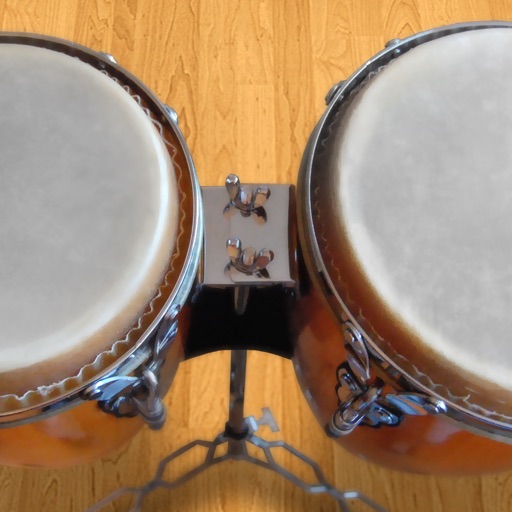
Play conga drums with 18 professionally recorded and mastered sound samples. Include cowbell and sticks for additional percussion. Adjust playing with no latency. Optimized for iPhone and iPad speakers and headphones.
Access and organize over 25 GB of premium sound samples. Create and edit music projects with drag-and-drop functionality. Adjust volume levels and apply effects. Export audio in multiple formats. Share projects via cloud services.
Create and play ambient , soundscapes, and textured drones on-device. Generate melodies and arpeggios from text. Export MIDI files. Use free Lite mode or upgrade to Pro for advanced features. Sync with other apps.
The app displays tablature and standard notation for multiple file formats. It offers MIDI playback with speed control, volume, and instrument assignment for tracks, along with a metronome and countdown.
Create and control complex control layouts with precision. Edit audio and MIDI files. Send and receive MIDI and OSC messages across multiple connections. Support for OSC over UDP. Adjust parameters in real-time. Sync with iOS and Android devices.
Analyze MIDI and audio to identify key and scale. Suggest chords, melodies, and basslines. Connect to keyboards, synths, or MIDI devices via Bluetooth. Edit and arrange musical content. Export tracks in various formats.
Edit and mix with FX, 3-band equalizer, and 9-pad sampler. Load tracks from iTunes or external sources. Record mixes and voiceovers. Use gyro-based scratching and set loop points. Apply skins and access a sample library.
Learn notes and chords through interactive . Identify key signatures for major and minor scales. Guess notes on treble and bass clefs. Play competitive to practice guitar and piano chords using a MIDI keyboard.
Allows guitarists to control MIDI instruments and loops using a guitar-mounted controller. It enables playing synthesized sounds, arpeggiated patterns, and layered instruments. Users can record and playback audio files triggered by guitar notes.
The app emulates vintage 80's hardware drum machines with a realistic interface. Users can play included rhythm presets or create their own patterns, with control over drum kit parameters and song mode.
Play piano and other instruments with realistic physical modeling. Adjust parameters like velocity and aftertouch. Load and save custom sound presets. Connect to MIDI devices for live performance. Export audio files in various formats.
Use the to create fight scenes with 20 high-quality Fu sound samples. Trigger punches, swings, and screams with buttons or motion. Activate automatic mode for hands-free use. Sync with accelerometer for motion-based effects.
Edit and arrange audio samples with multi-sampling capabilities. Stream high-quality samples efficiently. Integrate with iOS production tools like AUv3. Record, playback, and manipulate audio in real time. Export projects in standard audio formats.
Create and sequence musical patterns using a 32-step matrix. nd manipulate synth sounds with generative features. Connect via MIDI to external synthesizers for real-time control and sound shaping. Adjust parameters to customize tones and rhythms.