Chat with self-hosted large language models via Ollama API. Switch between models to test prompts. Support streaming and conversation context. Format responses with Markdown for tables, lists, and code. Specify server endpoint in settings.
Edit and navigate handwritten documents with vector drawing tools. Organize files using Apple's document browser. Sync with iCloud and other cloud services. Save in open SVG format for compatibility with other vector graphics software.
Read books in , azw, and prc formats with full support for styles, chapters, tables, links, and footnotes. Navigate large documents efficiently with optimized performance.
Manage files, media, and contacts across devices. View, share, and delete files directly. Organize system folders and access documents efficiently. Sync and transfer files between devices. Edit images and videos in-built.
Read and highlight YouTube with AI-powered punctuation and paragraphing. Sync playback with word-by-word highlighting. Generate table of contents automatically. Export as PDF, text, HTML, Markdown, or screenshots.
The app provides PDF reading functionality and navigation through features like bookmarks and hyperlinks. It supports bookmarking, annotation, and highlighting for documents downloaded via URL, iTunes file sharing, or XML lists.
Edit code and files in multiple programming languages and formats. Support syntax highlighting, auto-indentation, and line numbering. Save, share, and export documents. Search and replace across files. Dark mode and customizable themes available.
Organize raw materials with digital cards containing supplier details, IFRA limits, and cost per gram. Track purchase dates and dilution dates for expiration reminders. View a summary table of material information for quick reference.
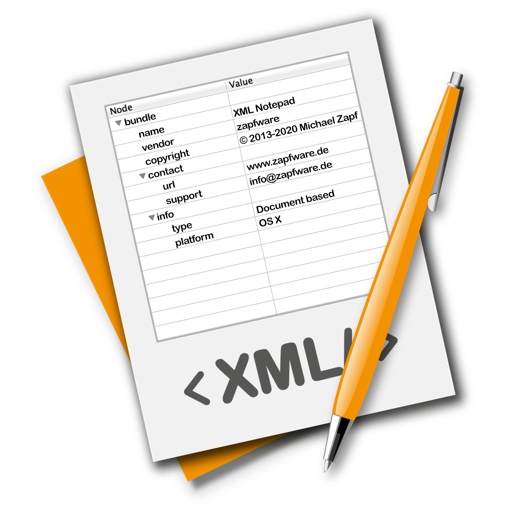
The app provides a lightweight and convenient tool for editing XML files. It allows users to edit, rearrange nodes, or create new XML documents without requiring developer skills.
The app opens over 100 file types, including documents, images, videos, and archives. It allows users to browse files on their device or iCloud Drive and view file information.
Edit and preview Markdown documents with support for GitHub Flavored Markdown, tables, and LaTeX. Sync across devices using iCloud. Export to Markdown, PDF, or PNG. Swipe to switch between raw text and preview. Dark mode available.
Create and manage files with support for TXT, RTF, XML, Word, Excel, PPT, Pages, Numbers, Keynote, Markdown, and more. Use custom file templates. Copy full file paths. Execute custom scripts and enable iCloud backup.
The app displays markup language files including Markdown and reStructuredText. Users can navigate files using Vim-style bindings and open terminals or editors in the current folder.