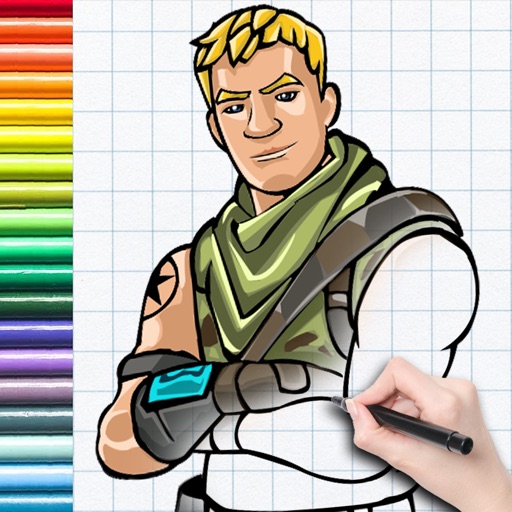
Learn to draw with -by- tutorials and AI guidance. Use your phone's camera as a projector to trace and practice. Access drawing lessons for all skill levels, from beginner to advanced.
Access lessons, daily questions, and assigned scriptures. View lectures and notes through MyBSF.org. Support multiple languages. Sync progress across devices. Share notes and answers with others.
Explore interests, build projects, connect with others
Explore creative interests with 150+ topics including art, coding, and game design. Draw anime and cartoons, learn coding through beginner-friendly lessons, and design games. Connect with others to share projects and receive feedback.
Use AR to draw on real surfaces by outlines. Share drawings with others. Learn techniques through interactive lessons. Practice new skills in a realistic environment. Export artwork in various formats.
Learn cocktail ingredients through interactive levels and memory exercises. Complete quizzes on tools, glassware, liqueur, garnish, and beer types. Access a comprehensive guide with detailed information on cocktail components and serving equipment.
Play with pencil and interface. Use Apple Pencil for writing and erasing. Auto-fill notes on demand. Solve puzzles with interactive solver mode. Add pencil marks and highlights. Check for errors with one click.
Create interactive designs and prototypes on iPhone or iPad. Use simple design mode with access to over 1 million icons, fonts, and stock photos. Import sketches via photo capture. Export designs and share projects.
Browse 3D animated building instructions for Lego® sets. Follow step-by-step guides to create animals, architecture, planes, trains, and Star Wars models. Challenge kids to build alone or compete against time. Add new models weekly.
Create daily drawing to inspire artwork. using preferred medium. Share creations with global artists. Track progress over time to improve skills. Receive curated to avoid creative blocks.
The app helps children learn writing through guided tracing and repetition. It supports proper letter formation and fine-motor control for early learners.
Access GTO preflop offline for shove, call, and rejam decisions based on equilibrium. View hand equity and EV calculations. Customize ranges and compare strategies against preloaded .
Learn to all 33 Cyrillic letters through structured lessons. Practice handwriting with stroke-by-stroke guidance. Receive instant feedback on accuracy. Track progress over time. Export practice sessions for review.
Learn names in 8 languages with audio commentaries and animated visuals. Take photos, create puzzles, and win prizes. Find animals from 6 continents and explore their features. Multi-user support with individual accounts and parental controls.
Learn through interactive gameplay. Solve linear equations by manipulating symbols and numbers. Progress through levels to build foundational math skills. Track progress and receive instant feedback during each challenge.
Create drawings and paintings using a variety of colors and brushes. Select from pre-drawn shapes and stickers. Save artwork to device storage. Share creations via social media or email.
Create and share digital art with coloring pages, art games, and tracing tools. Design in 3D and display creations in a personal digital museum. Collaborate on drawings with friends and family.