Create and customize basslines with a synthesizer and drum machine. Adjust waveform shapes, filter settings, and envelope parameters. Sequence rhythms with step editors and pattern loops. Export audio files and share directly.
Create and save multi-track music projects on iPad, iPhone, or Mac. Record and import audio tracks, browse samples with previews, apply effects, and use high-quality synthesizers and drum kits. Edit, mix, and render complete songs.
Create and edit drum patterns using 27 drum voices. Apply effects like delay, chorus, and reverb. Automate parameters and sequence 16-bar patterns. Save and load project files for later editing.
The app offers a metronome, groove box, and drum machine with high-definition sounds. It includes practice tools like Beat Hider and Progressive Tempo for musicians to refine their timing and technique.
Create beats using step sequencers and pads. Sample sounds from Roland TR and MPC machines. Mix tracks with a built-in mixer. Record and play back custom patterns. Adjust tempo and rhythm settings. Export and share finished projects.
Create and customize drum loops with adjustable rhythm and measure settings. Add custom sound samples from real instruments. Choose from three preset tracks or build your own percussion kits. Export high-definition audio files.
Create with a variety of professional sounds for EDM, trap, dubstep, drum-n-bass, rave, and more. Record beats in landscape or portrait mode. Export songs as audio files or MIDI tracks. Share via the feed or export individual tracks.
Create and customize drum kits with samples, presets, and modulation options. Sequence patterns with intuitive editing tools. Import custom samples and use intelligent randomizers for new drum ideas. Export and share drum sequences.
Create and edit music with a multi-track sequencer. Record and adjust patterns in real-time with quantization and undo options. Use an integrated drum sampler with individual effects and XY pads. Load external AUv3 instruments and effects.
Create and perform music with audio and MIDI recording. Use performance tools like repeat, roll, swing, and scale-based chord generation. Edit tracks, arrange sequences, and export final mixes. Sync with external hardware and software instruments.
Create and edit music with virtual instruments, effects, and audio tools. Record and arrange tracks, apply plugins like Beat Breaker and Sample Alchemy, and mix audio. Export projects in multiple formats and share directly.
The app transforms an iPhone and iPad into a premium sampler and synthesizer for music production. It offers a dual-layer rompler engine and a touch-optimized workflow for creating studio-quality music anywhere.
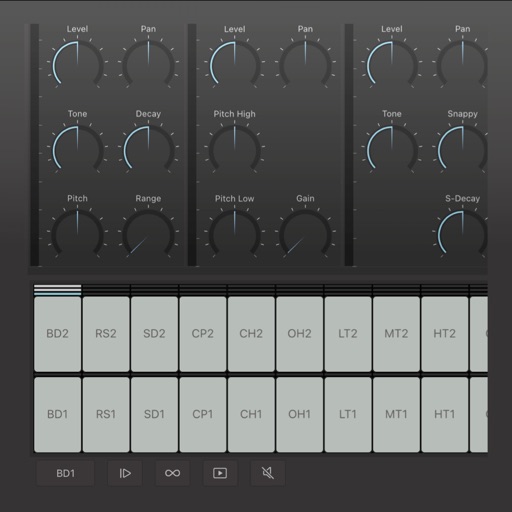
The app emulates vintage 80's hardware drum machines with a realistic interface. Users can play included rhythm presets or create their own patterns, with control over drum kit parameters and song mode.
Create drum patterns with improvisation features and 2D control for jam and intensity. Use 8 assignable pads for live sessions and MIDI controls. Sync with Ableton Link. Export multi-track or full mix via audio-MIDI export.
Create beats using a drum machine with over 1000 curated sounds organized by frequency and length. Edit grooves in banks like Hip Hop, Trap, and AfroBeats. Adjust rhythms and export projects for use in music production.
Create beats using a drum pad interface with customizable sound packs. Record up to 32 sequences to build full songs. Edit and arrange patterns with visual feedback. Export tracks in multiple audio formats.