Allows users to process their into various effects. Apply vocoder, auto pitch, and harmonizing pitch shift. Adjust speed and sample sounds. Create robotic, animal, or comedic voices. Play musical instruments by without physical input.
Learn with strummable fingerings for all keys and types. Choose from multiple tunings for soprano, tenor, concert, and baritone ukuleles. Access expert chord suggestions and complete chord diagrams.
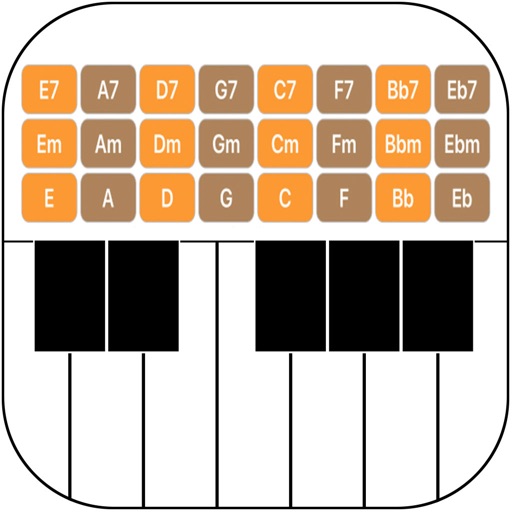
Create progressions using emoji-based harmony engine. Select chords and receive suggested next chords in your chosen style. Explore different musical styles and build sequences without theory knowledge. Export progressions and share directly.
Create chord sequences based on a root note and mode. Generate related chords using mathematical algorithms. Adjust complexity and freedom levels to control sequence variation. Integrate with DAWs as an AUv3 MIDI plugin.
Recognize chords, beats, and lyrics from audio files or microphone input. Access songs on YouTube, SoundCloud, or local files. View diagrams and track progress. Export lyrics and chords for offline use.
Learn piano and by selecting a key and playing them on the keyboard. View notes and formulas for major and minor . See correct fingering for each scale. Listen to played examples.
Record audio or video to create with on-device AI analysis. Extract , beats, , and MIDI tracks. Import audio files in various formats. Sync across devices and store them securely.
The app provides a lifelike virtual guitar experience with studio-recorded sounds. Users can play chord buttons or form chords with forgiving finger position recognition.
Record and edit audio with MIDI compatibility and learn support. Access factory presets for strings, organs, pianos, and synths. Use four effect sections including reverb and chorus. Adjust stereo width, mono switch, and note hold.
Create progressions and loop them in sync with other apps. Trigger chords via MIDI footswitch. Explore music theory and harmonies. Save and share progressions. Sync with Apple Health.
Create and edit progressions with inversions, sus2, sus4, 7th, and 9th chords. Play chords as piano or synth or send MIDI to macOS. Use phone as MIDI keyboard for macOS. Practice reading musical notation.
Play chords and create music directly on the device. Learn chords and strum patterns with interactive lessons. Record and share performances. Simulate playing with realistic sound and feedback. Adjust settings for different playing styles.
Practice music with a simulated band that provides real-time accompaniment. Create and save chord charts for favorite songs. Track progress with built-in exercises and feedback. Sync with Apple Health to log practice sessions.
Play on iOS devices with a 6-string, 15-fret virtual instrument. Scroll through a fretboard, learn , and practice finger placements. Adjust tuning and view chord diagrams for accurate playing.
Create files by setting tempo, key, and scale. Add sections like Intro with suggested first chords. Subsequent chord suggestions depend on the last chord in the section. Automatically invert chords for smooth voice leading.