Create and sequence sound patterns using 14 effects arranged in a matrix. Adjust parameters for each effect to shape audio. Generate loop collages and save custom presets. Export audio files for playback or further editing.
by Sugar Bytes GmbH★ 4.797 ratingsMusicFreeData updated 2026-09-08
Create and customize basslines with a synthesizer and drum machine. Adjust waveform shapes, filter settings, and envelope parameters. Sequence rhythms with step editors and pattern loops. Export audio files and share directly.
Create music with a wide range of instruments, loops, and samples. Record and edit tracks. Export projects in multiple formats. Collaborate in real-time with others. Access advanced mixing and mastering tools.
Create and arrange musical sequences using multiple playheads. Manipulate melody speed, direction, and pitch. Apply Baroque and Serialism composition techniques. Export and share projects in audio format.
Create and manipulate effects using a step sequencer interface. Adjust tape simulation settings including compression, saturation, hiss, head bias, and wow/flutter. Export audio files and apply effects during recording or playback.
Create bass-heavy sounds with a monophonic synthesizer. Adjust frequency ranges and apply mid/side processing for stereo imaging. Control low-end thickness and shape sub-bass tones. Export audio files and integrate with digital audio workstations.
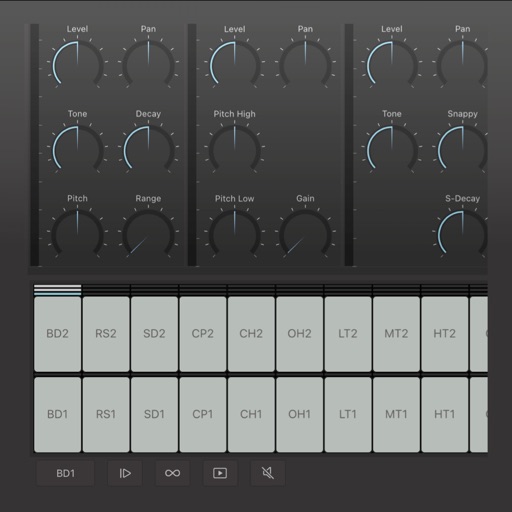
Create and edit drum patterns using 27 drum voices. Apply effects like delay, chorus, and reverb. Automate parameters and sequence 16-bar patterns. Save and load project files for later editing.
Create custom percussion sounds using a flexible synthesis engine. Design drum patterns with a Euclidean sequencer. Export and integrate sounds into projects. Adjust synthesis parameters for unique effects.
The app offers fast, hands-on sound design with analog and digital waveforms. It includes modulation, filter shaping, effects, and the ability to record and share audio clips.
Create and edit patterns with polyrhythmic tracks. Add bass and lead synths. Use audio unit support and new FX modules. Import and export projects. Playback and record loops. Retain compatibility with DM1 song files.
Record up to 16 tracks with effects like pan, reverse, reverb, tremolo, and tempo delay. Use as a standalone or plugin. Manage master and input effects. Loop and layer audio for creative playback.
Create music using touch-based sampling and gesture recording. Explore samples for melodies and textures with various play modes. Record compositions and experiment with audio in real-time.
Create and save unlimited presets with 16 patterns each. Adjust polyphonic and polyrhythmic sequences. Sync presets to iCloud. Use as a standalone or AUv3 MIDI effect. Generate melodic patterns from played notes or chords.
Record audio using phone microphone for instant sampling. Create beats by arranging samples, applying effects, and building tracks. Resample output into new inputs for extended sound manipulation. Track progress in real-time with intuitive interface.
Create and manipulate complex soundscapes using 16 voice FM synthesis. Generate evolving atmospheres and dynamic textures. Adjust parameters for intricate timbres and layered sounds.